
 1 / 8
1 / 8About Social Media Networks Font
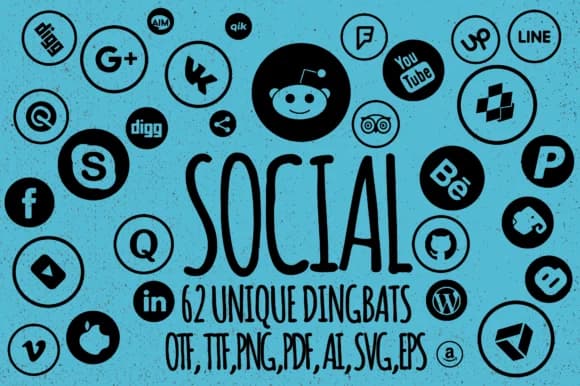
Social Media Networks by Minimalistartstudio is a dingbat font that transforms simple keystrokes into 62 distinct social media icons. Rather than hunting through graphics folders or assembling icon collections from multiple sources, you type capital letters, lowercase letters, or numbers to instantly access icons for the major platforms and several niche networks. The clean character-to-glyph mapping makes it practical for real design work where speed counts and visual consistency matters across projects.
This font excels when you're assembling digital brand kits for bootstrapped businesses, designing Twitter thread graphics that maintain unified visual language, creating Instagram story templates for coaching clients, or building email newsletter headers that coordinate with overall branding systems. Podcasters appreciate it for cover art production, content creators use it in website mockups and landing page designs, and design teams rely on it to accelerate social media graphics workflows. Instead of toggling between design files and image libraries or hunting for the right icon size, you simply type a character and keep moving. That workflow efficiency compounds over dozens of graphics, especially when you're managing accounts across multiple platforms or building reusable template systems that clients can customize themselves.
Grab Social Media Networks on Creative Fabrica and integrate these icons into your next social project.
Style & Use Cases
- Overall Style
- Iconographic, Social Media Networks
- Use Case
- Icons, Accents
- Ideal For
- ornaments, bullets, and decorative flourishes
- Pairs With
- any text font
How to Install Social Media Networks Font
Step-by-step instructions for every platform
- 1Download the Social Media Networks font file (.ttf or .otf).
- 2Locate the downloaded file in your Downloads folder.
- 3Right-click the font file.
- 4Select "Install" to install for the current user, or "Install for all users" to make it available system-wide.
- 5Social Media Networks is now available in Word, Photoshop, Illustrator, and all other apps.
More by Minimalistartstudio
View all →



Browse fonts by theme
Curated collections →Saw a font in a picture? Identify any font from an image with our free Font Finder.
More Dingbats Fonts
Browse all →







What pairs well with Social Media Networks Font?
Social Media Networks Font is a versatile dingbats font that works for both headings and body text. Pair it with a contrasting sans-serif or serif font to add visual interest and a clear distinction between titles and body copy.



Social Media Networks Font
Reviewed by the FontBoxDL team · Updated June 2026