
 1 / 8
1 / 8About Barcode Font
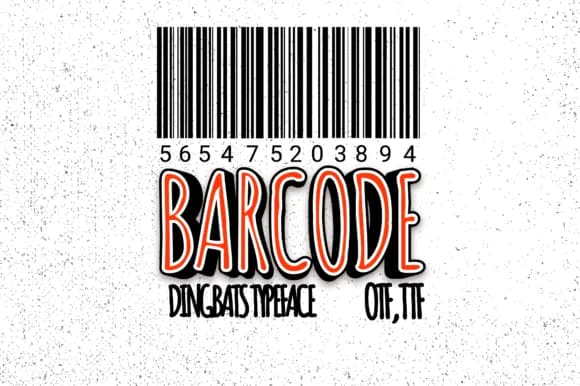
You're laying out labels for a small batch candle collection, and you need proper UPC barcodes without hunting down barcode generators or waiting for vendor approvals. Barcode, a practical dingbats font from Minimalistartstudio, simplifies this entire workflow by letting you type numeric codes directly into your design software and instantly get readable barcode artwork. Just select the font, enter your product numbers, and the typeface converts them into standard barcode formats ready for printing.
This approach cuts hours out of the product design cycle. It's especially valuable for Etsy seller product packaging, handmade cosmetics labels, boutique beauty product branding, and small batch retail stickers where you control every detail in-house. Rather than juggling multiple tools or requesting barcodes from external services, you handle codes the same way you'd set any other text within your layout. The font supports standard barcode formats commonly used in retail and e-commerce, so your labels will scan correctly at checkout.
Install it once and it becomes part of your permanent design toolkit. You're no longer dependent on third-party barcode services or regenerating images when SKUs change. Access Barcode on Creative Fabrica and keep your production moving.
Style & Use Cases
- Overall Style
- Iconographic, Barcode
- Use Case
- Icons, Accents
- Ideal For
- ornaments, bullets, and decorative flourishes
- Pairs With
- any text font
How to Install Barcode Font
Step-by-step instructions for every platform
- 1Download the Barcode font file (.ttf or .otf).
- 2Locate the downloaded file in your Downloads folder.
- 3Right-click the font file.
- 4Select "Install" to install for the current user, or "Install for all users" to make it available system-wide.
- 5Barcode is now available in Word, Photoshop, Illustrator, and all other apps.
More by Minimalistartstudio
View all →



Browse fonts by theme
Curated collections →Saw a font in a picture? Identify any font from an image with our free Font Finder.
More Dingbats Fonts
Browse all →







What pairs well with Barcode Font?
Barcode Font is a versatile dingbats font that works for both headings and body text. Pair it with a contrasting sans-serif or serif font to add visual interest and a clear distinction between titles and body copy.



Barcode Font
Reviewed by the FontBoxDL team · Updated June 2026