 Firefox
 1 / 5
1 / 5About SNACK STAND JNL Font
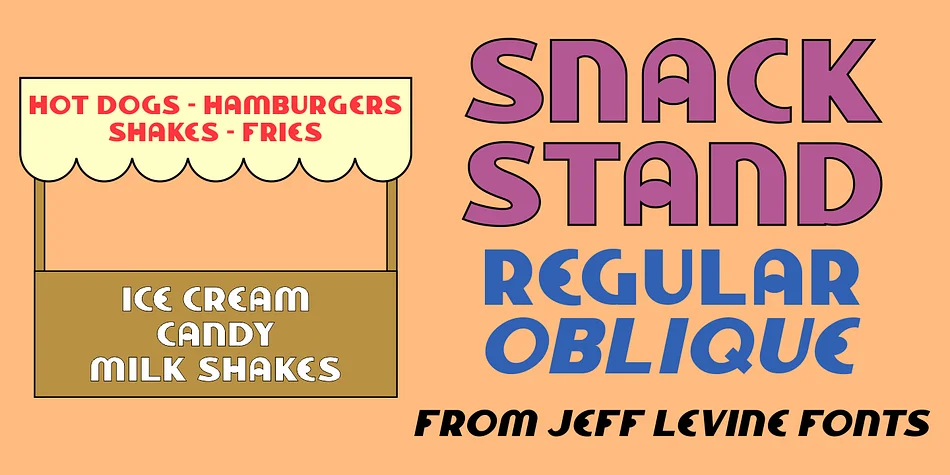
SNACK STAND JNL by Jeff Levine Fonts is a decorative typeface steeped in authentic 1940s Art Deco lettering. The design's inspiration traces back to a vintage film shot near Coney Island that captured hand-painted signage on street vendor stands, complete with that era's bold geometry and characteristic playful skew. That authentic painted-by-hand character carries through into the digital letterforms, giving them warmth and personality you don't typically find in purely geometric fonts from the same period.
This typeface excels for vintage diner menus, retro carnival posters, and speakeasy-themed event invitations where period authenticity strengthens the impact. It works equally well on packaging for craft sodas or vintage-inspired cosmetics, where that nostalgic painted feeling adds genuine character without feeling forced. Concert flyers and theatrical signage benefit from its confident reference to the golden age of hand-lettering. The font arrives in both regular and oblique versions, giving you options to match traditional or dynamic layouts depending on your project's needs.
Building a brand with mid-century Americana appeal, or adding period-correct lettering to a specific project, becomes much easier with Snack Stand JNL's confident, unpretentious character. Stop hunting for overused retro clichés and grab this one from Creative Fabrica instead.
Style & Use Cases
- Overall Style
- Bold, Distinctive
- Use Case
- Headlines, Posters
- Ideal For
- logos, packaging, and standout titles
- Pairs With
- a neutral sans-serif
How to Install SNACK STAND JNL Font
Step-by-step instructions for every platform
- 1Download the SNACK STAND JNL font file (.ttf or .otf).
- 2Locate the downloaded file in your Downloads folder.
- 3Right-click the font file.
- 4Select "Install" to install for the current user, or "Install for all users" to make it available system-wide.
- 5SNACK STAND JNL is now available in Word, Photoshop, Illustrator, and all other apps.
More by Jeff Levine Fonts
View all →



Browse fonts by theme
Curated collections →Saw a font in a picture? Identify any font from an image with our free Font Finder.
More Decorative Fonts
Browse all →







What pairs well with SNACK STAND JNL Font?
SNACK STAND JNL Font is a decorative font that shines as a display or heading face. Pair it with a clean sans-serif or serif font for body text — the contrast creates a clear hierarchy while the two styles stay balanced and easy to read.




SNACK STAND JNL Font
Reviewed by the FontBoxDL team · Updated June 2026