
 1 / 6
1 / 6About Silicia Font
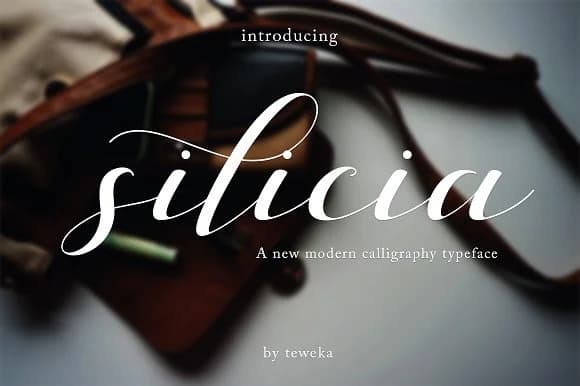
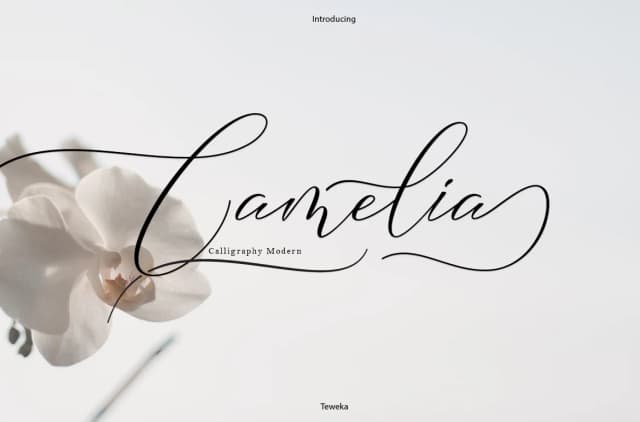
Silicia by Teweka is a flowing handwritten script featuring over 300 meticulously crafted glyphs that bring personalized character to creative projects. The font combines organic, naturally flowing letterforms with strong readability, making it equally effective for digital applications and high-quality print work where authenticity truly matters.
This script proves invaluable for creating wedding invitation suites infused with heartfelt charm, designing custom handwritten-style greeting cards that feel genuinely personal, building personalized event stationery systems, and crafting intimate photo overlay designs that enhance visual storytelling. The extensive glyph collection empowers designers to move beyond template restrictions, developing authentic signature-style elements and personalized touches that distinguish their creative work. Whether you're producing thank you cards meant to convey sincere appreciation, applying handwritten elements to boutique branding projects, or adding personalized flourishes to print collateral, Silicia delivers sophisticated results while maintaining genuine warmth and individual character throughout all applications.
The careful construction of each letterform makes this script particularly valuable for creatives seeking handwritten authenticity in their designs. Its versatility spans from intimate stationery projects to broader design applications where genuine personal touch enhances the overall visual impact. Discover Silicia on Creative Fabrica and add distinctive handwritten character to your next creative project.
Style & Use Cases
- Overall Style
- Elegant, Flowing, Silicia
- Use Case
- Invitations, Branding
- Ideal For
- wedding stationery, greeting cards, and signatures
- Pairs With
- a simple uppercase sans
How to Install Silicia Font Font
Step-by-step instructions for every platform
- 1Download the Silicia Font font file (.ttf or .otf).
- 2Locate the downloaded file in your Downloads folder.
- 3Right-click the font file.
- 4Select "Install" to install for the current user, or "Install for all users" to make it available system-wide.
- 5Silicia Font is now available in Word, Photoshop, Illustrator, and all other apps.
More Script Handwritten Fonts
Browse all →







What pairs well with Silicia Font?
Silicia Font is a script font that shines as a display or heading face. Pair it with a clean sans-serif or serif font for body text — the contrast creates a clear hierarchy while the two styles stay balanced and easy to read.



Silicia Font
by Teweka
Reviewed by the FontBoxDL team · Updated May 2026