 Firefox
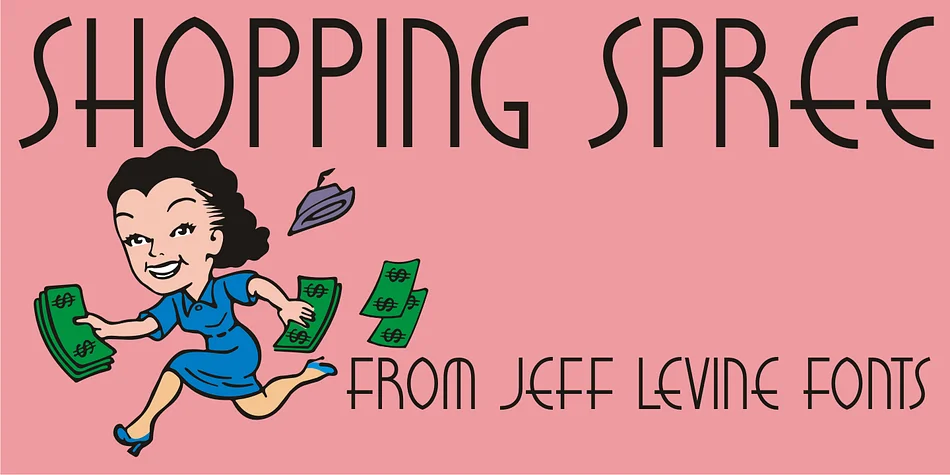
About SHOPPING SPREE JNL Font
This face sparkles with the theatrical flair and playful energy of Hollywood's golden era. Shopping Spree JNL, designed by Jeff Levine Fonts, draws inspiration from the hand-lettered title treatment of the 1938 film "Fast Company," starring Melvyn Douglas and Florence Rice, capturing that same undeniable vintage glamour and style that made early cinema so visually striking.
The typeface brings retro charm to speakeasy and cocktail bar signage, vintage theater posters for special screenings and film revivals, art deco event invitations with genuine period authenticity, and antique or vintage shop window displays that need authentic 1930s visual appeal. You'll also find it works beautifully for retro vinyl album covers and old Hollywood-style wedding announcements where you want the audience to feel a genuine connection to classic design and nostalgic aesthetics. The letterforms have that distinctive hand-drawn quality that reads as crafted rather than mechanical, which gives designs a human touch that feels intentional and warm, never stiff or cold.
Pairing this typeface with a clean, modern sans-serif for body text lets the decorative letterforms take center stage without overwhelming longer passages of prose. Get it on Creative Fabrica for your next design project that craves vintage polish and theatrical character.
Style & Use Cases
- Overall Style
- Bold, Distinctive
- Use Case
- Headlines, Posters
- Ideal For
- logos, packaging, and standout titles
- Pairs With
- a neutral sans-serif
How to Install SHOPPING SPREE JNL Font
Step-by-step instructions for every platform
- 1Download the SHOPPING SPREE JNL font file (.ttf or .otf).
- 2Locate the downloaded file in your Downloads folder.
- 3Right-click the font file.
- 4Select "Install" to install for the current user, or "Install for all users" to make it available system-wide.
- 5SHOPPING SPREE JNL is now available in Word, Photoshop, Illustrator, and all other apps.
More by Jeff Levine Fonts
View all →



Browse fonts by theme
Curated collections →Saw a font in a picture? Identify any font from an image with our free Font Finder.
More Decorative Fonts
Browse all →







What pairs well with SHOPPING SPREE JNL Font?
SHOPPING SPREE JNL Font is a decorative font that shines as a display or heading face. Pair it with a clean sans-serif or serif font for body text — the contrast creates a clear hierarchy while the two styles stay balanced and easy to read.




SHOPPING SPREE JNL Font
Reviewed by the FontBoxDL team · Updated June 2026