 Firefox
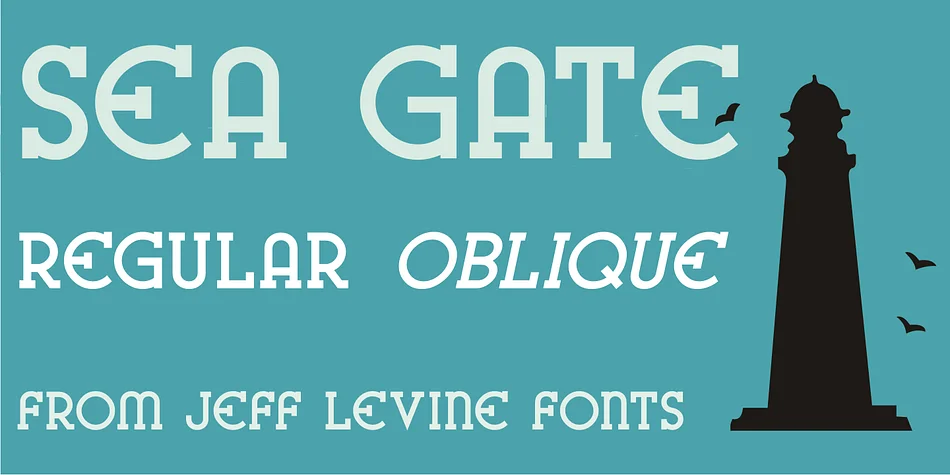
About SEA GATE JNL Font
Sea Gate JNL by Jeff Levine Fonts is a decorative typeface rooted in 1930s graphic design, combining the bold character forms of vintage WPA posters with added slab serifs for warmth and visual presence. The font deliberately bridges historical inspiration and practical functionality through careful character refinements that maintain the era's distinctive personality while ensuring legibility across different scales and applications.
The typeface finds natural homes in retro bar and restaurant menu projects, vintage cosmetics and craft beverage packaging, Art Deco-inspired event invitations, and speakeasy-themed branding work. It performs equally well on bookstore signage with old-world literary character, small-batch coffee roastery labels, or antique shop identity systems. The pairing of sturdy serifs with distinctive letterforms gives designs immediate nostalgic appeal without sacrificing professionalism or readability. Both regular and oblique weights provide plenty of flexibility for your typographic hierarchy, letting you shift emphasis or create variation depending on layout needs and design direction.
From single branded headlines to a full retro identity system, Sea Gate JNL delivers genuine 1930s sensibility to modern work. Head over to Creative Fabrica and add this piece of graphic history to your collection.
Style & Use Cases
- Overall Style
- Bold, Distinctive
- Use Case
- Headlines, Posters
- Ideal For
- logos, packaging, and standout titles
- Pairs With
- a neutral sans-serif
How to Install SEA GATE JNL Font
Step-by-step instructions for every platform
- 1Download the SEA GATE JNL font file (.ttf or .otf).
- 2Locate the downloaded file in your Downloads folder.
- 3Right-click the font file.
- 4Select "Install" to install for the current user, or "Install for all users" to make it available system-wide.
- 5SEA GATE JNL is now available in Word, Photoshop, Illustrator, and all other apps.
More by Jeff Levine Fonts
View all →



Browse fonts by theme
Curated collections →Saw a font in a picture? Identify any font from an image with our free Font Finder.
More Decorative Fonts
Browse all →







What pairs well with SEA GATE JNL Font?
SEA GATE JNL Font is a decorative font that shines as a display or heading face. Pair it with a clean sans-serif or serif font for body text — the contrast creates a clear hierarchy while the two styles stay balanced and easy to read.




SEA GATE JNL Font
Reviewed by the FontBoxDL team · Updated June 2026