 Firefox
 1 / 8
1 / 8About School Icon Set Font
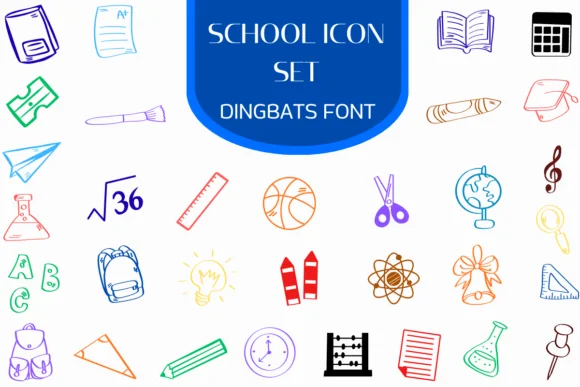
This icon set radiates the hand-sketched warmth that transforms classroom spaces into more human, approachable environments. School Icon Set comes from Heartcraft Atelier and delivers a complete alphabet of doodle-style academic symbols. You're getting pencils, rulers, notebooks, desk chairs, books, chalkboards, scientific instruments, all rendered with that organic sketch quality that reads playful without sacrificing clarity or legibility. The outline and fill variants provide flexibility depending on whether you're working with solid fills or line work across your layouts.
Teachers use it to personalize worksheet templates and refresh bulletin board displays with visual interest. Students integrate these icons into study planners and presentation slides, adding personality to otherwise text-heavy pages. Homeschool parents rely on it for curriculum worksheets, progress tracking charts, and lesson planning materials. Publishers also tap it for back-to-school product packaging, colorful classroom poster designs, and educational social media graphics. Available in both OTF and TTF formats that work across Procreate, Affinity Designer, and Affinity Photo on Mac and Windows machines alike.
Pair it alongside a clean, minimal sans-serif when you need readable body text to contrast with the doodles and illustrations. You'll find the complete set on Creative Fabrica, ready to bring that handmade classroom spirit to your next project.
Style & Use Cases
- Overall Style
- Iconographic, Fonts
- Use Case
- Icons, Accents
- Ideal For
- ornaments, bullets, and decorative flourishes
- Pairs With
- any text font
How to Install School Icon Set Font
Step-by-step instructions for every platform
- 1Download the School Icon Set font file (.ttf or .otf).
- 2Locate the downloaded file in your Downloads folder.
- 3Right-click the font file.
- 4Select "Install" to install for the current user, or "Install for all users" to make it available system-wide.
- 5School Icon Set is now available in Word, Photoshop, Illustrator, and all other apps.
More by Heartcraft Atelier
View all →



Browse fonts by theme
Curated collections →Saw a font in a picture? Identify any font from an image with our free Font Finder.
More Dingbats Fonts
Browse all →







What pairs well with School Icon Set Font?
School Icon Set Font is a versatile dingbats font that works for both headings and body text. Pair it with a contrasting sans-serif or serif font to add visual interest and a clear distinction between titles and body copy.




School Icon Set Font
Reviewed by the FontBoxDL team · Updated June 2026