 Firefox
About RETRO PACKAGING JNL Font
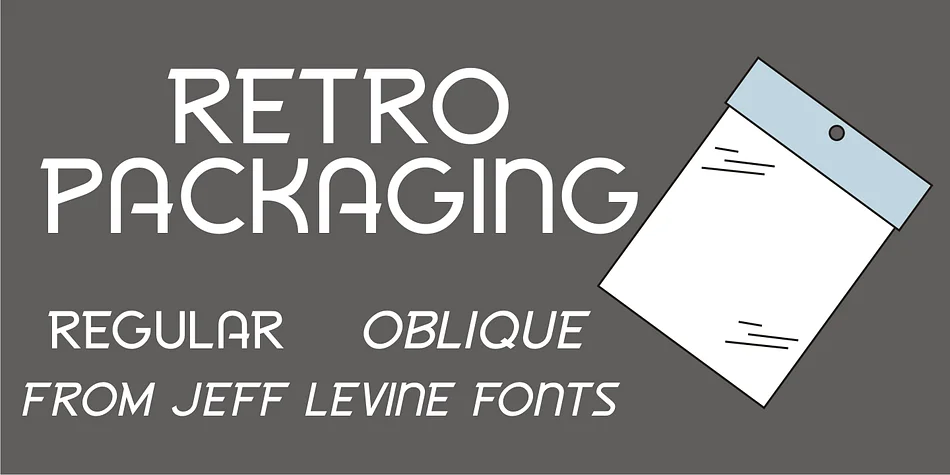
This typeface brings back that warm, mid-century nostalgia with clean lines and playful character. Retro Packaging JNL by Jeff Levine Fonts draws its inspiration directly from a vintage rubber stamp and star printing set distributed by Elvin in the late 1950s and early 1960s. The original Japanese-made design featured Art Deco influences on the product package header, and that charming, slightly bold geometry carries through into this modern digital version with complete authenticity.
The font excels for vintage-inspired book covers, retro cosmetics packaging, and mid-century themed wedding invitation suites. It brings genuine character to antique toy-inspired labels, nostalgic craft beer designs, and vintage diner menu layouts where you want that authentically period aesthetic without slipping into parody or camp. Its slightly heavy weight and geometric angles give everything they touch an immediate sense of playful history and visual legitimacy. Retro Packaging JNL comes in both regular and oblique versions, so you can adjust emphasis and create varied layouts without losing the original charm.
Pair this with a clean, minimal sans-serif for body copy to balance the display presence while keeping things readable and approachable. You'll find it on Creative Fabrica, ready to inject real vintage character into your next project.
Style & Use Cases
- Overall Style
- Bold, Distinctive
- Use Case
- Headlines, Posters
- Ideal For
- logos, packaging, and standout titles
- Pairs With
- a neutral sans-serif
How to Install RETRO PACKAGING JNL Font
Step-by-step instructions for every platform
- 1Download the RETRO PACKAGING JNL font file (.ttf or .otf).
- 2Locate the downloaded file in your Downloads folder.
- 3Right-click the font file.
- 4Select "Install" to install for the current user, or "Install for all users" to make it available system-wide.
- 5RETRO PACKAGING JNL is now available in Word, Photoshop, Illustrator, and all other apps.
More by Jeff Levine Fonts
View all →



Browse fonts by theme
Curated collections →Saw a font in a picture? Identify any font from an image with our free Font Finder.
More Decorative Fonts
Browse all →







What pairs well with RETRO PACKAGING JNL Font?
RETRO PACKAGING JNL Font is a decorative font that shines as a display or heading face. Pair it with a clean sans-serif or serif font for body text — the contrast creates a clear hierarchy while the two styles stay balanced and easy to read.




RETRO PACKAGING JNL Font
Reviewed by the FontBoxDL team · Updated June 2026