 Firefox
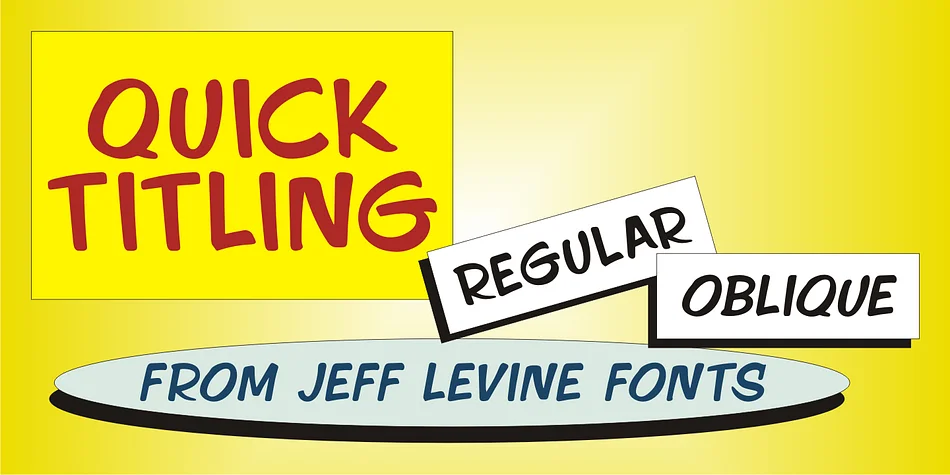
About QUICK TITLING JNL Font
QUICK TITLING JNL by Jeff Levine Fonts is a brush-lettered display typeface born directly from 1960s advertising. The design pulled from a Billboard magazine ad for a Randy Lee single, capturing that era's casual hand-drawn lettering style with real character and bold energy. The record itself didn't catch on, but the typeface has outlasted it by a considerable margin.
This typeface brings authentic mid-century personality to work that genuinely needs vintage credibility and warmth. Reach for it when you're designing retro vinyl record packaging or music artwork that needs that hand-drawn touch to feel right. Vintage-inspired cocktail bar menus, speakeasy signage, and craft brewery branding all benefit from its distinctive character and nostalgic appeal. Use it on concert posters, event invitations with period flair, and independent record label packaging. Retro product labels for artisanal goods equally gain from the brush-stroke warmth and period authenticity it delivers without feeling forced or artificial. The letterforms stay loose and natural, reading genuinely 1960s rather than overly refined or theme-park artificial.
Available in regular and oblique versions, the font gives you room to angle text for added visual interest and layout flexibility. Grab QUICK TITLING JNL from Creative Fabrica and bring some authentic 1960s energy to your next project.
Style & Use Cases
- Overall Style
- Bold, Distinctive
- Use Case
- Headlines, Posters
- Ideal For
- logos, packaging, and standout titles
- Pairs With
- a neutral sans-serif
How to Install QUICK TITLING JNL Font
Step-by-step instructions for every platform
- 1Download the QUICK TITLING JNL font file (.ttf or .otf).
- 2Locate the downloaded file in your Downloads folder.
- 3Right-click the font file.
- 4Select "Install" to install for the current user, or "Install for all users" to make it available system-wide.
- 5QUICK TITLING JNL is now available in Word, Photoshop, Illustrator, and all other apps.
More by Jeff Levine Fonts
View all →



Browse fonts by theme
Curated collections →Saw a font in a picture? Identify any font from an image with our free Font Finder.
More Decorative Fonts
Browse all →







What pairs well with QUICK TITLING JNL Font?
QUICK TITLING JNL Font is a decorative font that shines as a display or heading face. Pair it with a clean sans-serif or serif font for body text — the contrast creates a clear hierarchy while the two styles stay balanced and easy to read.




QUICK TITLING JNL Font
Reviewed by the FontBoxDL team · Updated July 2026