 Firefox
 1 / 5
1 / 5About PRODUCTION COMPANY JNL Font
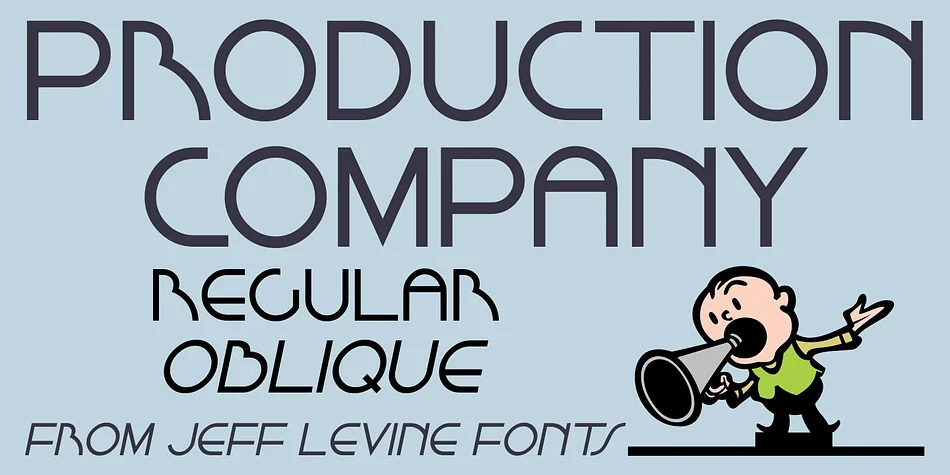
Production Company JNL by Jeff Levine Fonts is a stylized Art Deco sans serif born from a real piece of 1950s Los Angeles street typography. The origin story is worth mentioning: while watching vintage footage of post-war LA, a building came into view bearing the lettering for King Bros. Productions. That signage captured something vital about the era, a balance between geometric boldness and understated elegance that remains the typeface's core strength. The clean lines and refined proportions make it work beautifully for any project seeking authentic mid-century character without veering into pastiche.
This typeface shines for vintage movie poster design, retro nightclub branding with marquee lettering, Art Deco wedding invitations and matching stationery suites, and speakeasy-style menu layouts with period-appropriate bar signage. It also handles 1950s-inspired packaging design, upscale café branding, and editorial spreads that want nostalgic flavor without sacrificing readability. You can use it to anchor a full retro identity or add one carefully placed era-appropriate element to an otherwise modern design. The font comes in regular and oblique versions, giving you the flexibility to create emphasis and visual variety while keeping the whole project cohesive.
Grab Production Company JNL on Creative Fabrica and let this classic Art Deco face add sophistication to your next project.
Style & Use Cases
- Overall Style
- Bold, Distinctive
- Use Case
- Headlines, Posters
- Ideal For
- logos, packaging, and standout titles
- Pairs With
- a neutral sans-serif
How to Install PRODUCTION COMPANY JNL Font
Step-by-step instructions for every platform
- 1Download the PRODUCTION COMPANY JNL font file (.ttf or .otf).
- 2Locate the downloaded file in your Downloads folder.
- 3Right-click the font file.
- 4Select "Install" to install for the current user, or "Install for all users" to make it available system-wide.
- 5PRODUCTION COMPANY JNL is now available in Word, Photoshop, Illustrator, and all other apps.
More by Jeff Levine Fonts
View all →



Browse fonts by theme
Curated collections →Saw a font in a picture? Identify any font from an image with our free Font Finder.
More Decorative Fonts
Browse all →







What pairs well with PRODUCTION COMPANY JNL Font?
PRODUCTION COMPANY JNL Font is a decorative font that shines as a display or heading face. Pair it with a clean sans-serif or serif font for body text — the contrast creates a clear hierarchy while the two styles stay balanced and easy to read.




PRODUCTION COMPANY JNL Font
Reviewed by the FontBoxDL team · Updated June 2026