 Firefox
 1 / 5
1 / 5About PLEASANT EVENING JNL Font
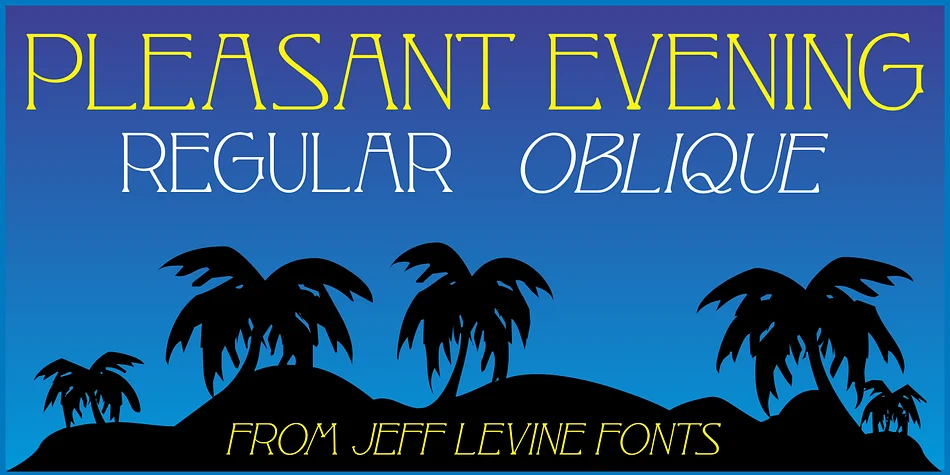
The ornate flourishes and high-waisted serifs of Pleasant Evening JNL capture the flowing elegance of early Art Nouveau design at its height. Designer Jeff Levine drew inspiration directly from Racine, a rare typeface from the 1881 Barnhart Bros. & Spindler specimen book, and thoughtfully translated its elaborate letterforms into something workable for contemporary layouts. The result is a display face that honors a historical moment without feeling dated or so ornamental that it becomes difficult to read at reasonable sizes.
Wedding invitation suites and vintage-inspired book covers naturally suit this typeface, but it also performs beautifully on upscale restaurant menus, luxury packaging, and boutique product labels where ornamental detail signals quality and care. The font comes in both regular and oblique versions, giving you real choices for adding emphasis and directional movement across a layout. A forward slant works particularly well when you want to layer it with other typefaces or create visual rhythm within a composition.
This typeface belongs in projects where historical serif character becomes the primary visual voice. Art Nouveau aesthetics integrate naturally into contemporary design work, particularly in luxury branding, editorial layouts, and craft label design that benefits from period authenticity and visual richness. Its formal energy makes it suitable for invitations, book design, and packaging that requires a distinctive point of view. Find it on Creative Fabrica and add this ornamental style to your collection.
Style & Use Cases
- Overall Style
- Bold, Distinctive
- Use Case
- Headlines, Posters
- Ideal For
- logos, packaging, and standout titles
- Pairs With
- a neutral sans-serif
How to Install PLEASANT EVENING JNL Font
Step-by-step instructions for every platform
- 1Download the PLEASANT EVENING JNL font file (.ttf or .otf).
- 2Locate the downloaded file in your Downloads folder.
- 3Right-click the font file.
- 4Select "Install" to install for the current user, or "Install for all users" to make it available system-wide.
- 5PLEASANT EVENING JNL is now available in Word, Photoshop, Illustrator, and all other apps.
More by Jeff Levine Fonts
View all →



Browse fonts by theme
Curated collections →Saw a font in a picture? Identify any font from an image with our free Font Finder.
More Decorative Fonts
Browse all →







What pairs well with PLEASANT EVENING JNL Font?
PLEASANT EVENING JNL Font is a decorative font that shines as a display or heading face. Pair it with a clean sans-serif or serif font for body text — the contrast creates a clear hierarchy while the two styles stay balanced and easy to read.




PLEASANT EVENING JNL Font
Reviewed by the FontBoxDL team · Updated June 2026