 Firefox
About PEN NOUVEAU JNL Font
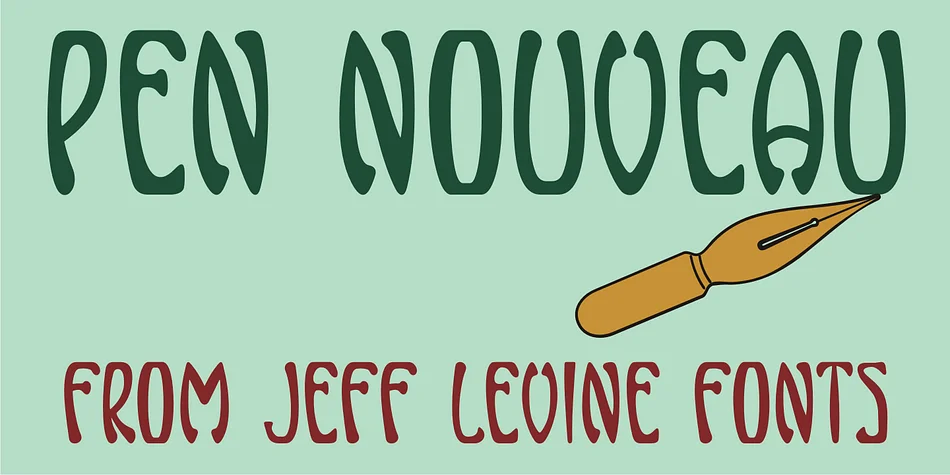
PEN NOUVEAU JNL by Jeff Levine Fonts is a decorative typeface capturing the flowing, organic letterforms of Art Nouveau pen lettering from the early twentieth century. Sourced directly from a 1911 piece of sheet music titled "If You Talk in Your Sleep, Don't Mention My Name," this font channels the sinuous curves and graceful lines that defined the Belle Époque design movement. Every letter carries the handwritten quality that made Art Nouveau such a distinctive visual marker in design history.
This typeface finds its natural home on wine bottle labels, vintage wedding invitations, and luxury cosmetics packaging where a sense of historical elegance matters. It works equally well for theater posters, bookplate designs, and custom apothecary labels that benefit from looking handcrafted and refined. The free-form character of each letterform brings genuine authenticity to any project seeking that turn-of-the-century aesthetic without resorting to reproduction scripts. Designers working on museum exhibition materials, high-end confectionery branding, vintage-inspired restaurant menus, or boutique craft packaging will find this font brings exactly the right period feel.
Pick up PEN NOUVEAU JNL on Creative Fabrica and bring Art Nouveau's sophisticated charm to your next design.
Style & Use Cases
- Overall Style
- Bold, Distinctive
- Use Case
- Headlines, Posters
- Ideal For
- logos, packaging, and standout titles
- Pairs With
- a neutral sans-serif
How to Install PEN NOUVEAU JNL Font
Step-by-step instructions for every platform
- 1Download the PEN NOUVEAU JNL font file (.ttf or .otf).
- 2Locate the downloaded file in your Downloads folder.
- 3Right-click the font file.
- 4Select "Install" to install for the current user, or "Install for all users" to make it available system-wide.
- 5PEN NOUVEAU JNL is now available in Word, Photoshop, Illustrator, and all other apps.
More by Jeff Levine Fonts
View all →



Browse fonts by theme
Curated collections →Saw a font in a picture? Identify any font from an image with our free Font Finder.
More Decorative Fonts
Browse all →







What pairs well with PEN NOUVEAU JNL Font?
PEN NOUVEAU JNL Font is a decorative font that shines as a display or heading face. Pair it with a clean sans-serif or serif font for body text — the contrast creates a clear hierarchy while the two styles stay balanced and easy to read.




PEN NOUVEAU JNL Font
Reviewed by the FontBoxDL team · Updated June 2026