 Firefox
 1 / 8
1 / 8About Panda Set Font
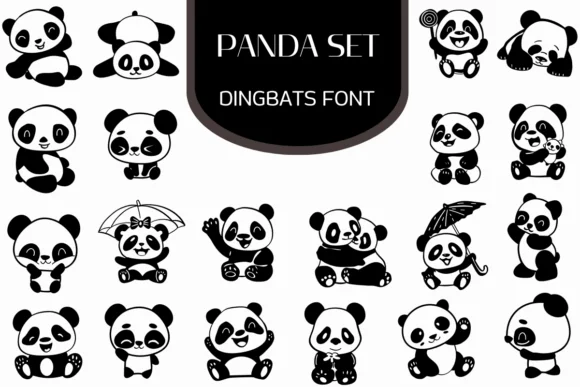
Panda Set, created by Heartcraft Atelier, is a collection of hand-drawn panda characters that transforms keystrokes into playful, expressive illustrations. Each glyph captures these creatures in different moments: sleeping peacefully, waving cheerfully, hugging, or sheltering under an umbrella. The linework stays clean and contemporary without losing warmth, and the characters perform equally well across print applications and digital screens.
This becomes genuinely useful whenever you need visual interest without the cost of hiring an illustrator. Greeting card suites gain immediate character and personality. DIY sticker sheet designs come together much faster when you're not redrawing the same poses repeatedly. Nursery wall decals, children's book spot illustrations, scrapbooking layouts, and planner inserts all benefit from the consistent, unified hand-drawn style. Your projects feel more cohesive when the panda elements speak with a single visual voice.
The font arrives in both OTF and TTF formats, so it works smoothly across most design applications and creative software you might already use. Any designer creating work aimed at younger audiences, or building layouts that need personality and warmth, will find these glyphs indispensable. Get Panda Set on Creative Fabrica and you'll have a ready-made collection of characters for any project.
Style & Use Cases
- Overall Style
- Iconographic, Fonts
- Use Case
- Icons, Accents
- Ideal For
- ornaments, bullets, and decorative flourishes
- Pairs With
- any text font
How to Install Panda Set Font
Step-by-step instructions for every platform
- 1Download the Panda Set font file (.ttf or .otf).
- 2Locate the downloaded file in your Downloads folder.
- 3Right-click the font file.
- 4Select "Install" to install for the current user, or "Install for all users" to make it available system-wide.
- 5Panda Set is now available in Word, Photoshop, Illustrator, and all other apps.
More by Heartcraft Atelier
View all →



Browse fonts by theme
Curated collections →Saw a font in a picture? Identify any font from an image with our free Font Finder.
More Dingbats Fonts
Browse all →







What pairs well with Panda Set Font?
Panda Set Font is a versatile dingbats font that works for both headings and body text. Pair it with a contrasting sans-serif or serif font to add visual interest and a clear distinction between titles and body copy.




Panda Set Font
Reviewed by the FontBoxDL team · Updated June 2026