 Firefox
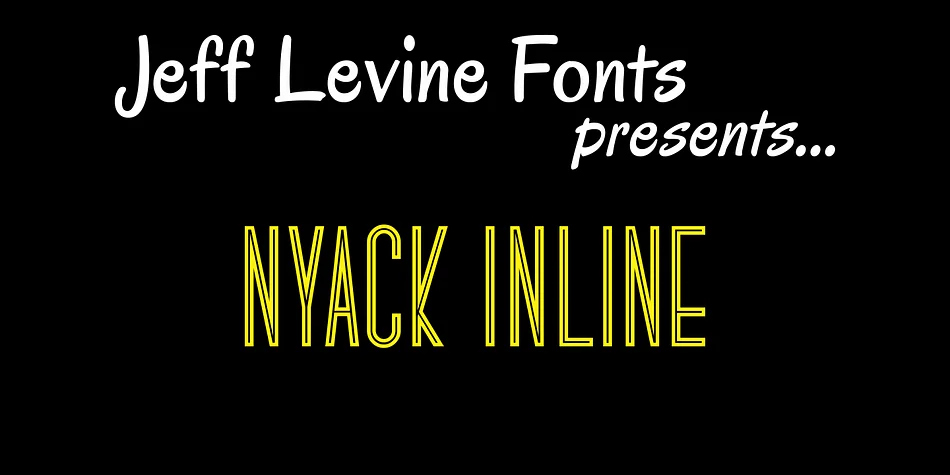
About NYACK INLINE JNL Font
NYACK INLINE JNL by Jeff Levine Fonts is a geometric sans serif with inline details that bring subtle Art Deco echoes into contemporary design work. The design manages to feel vintage without locking you into retro-only applications. You get both solid and inline versions, which opens up layering possibilities and lets you choose the right version for each project's visual mood. The inline character gives it an elegant, slightly art-forward presence that reads distinctly at both headline and display sizes.
This font earns its place on luxury packaging, vintage-inspired stationery suites, upscale cosmetics labels, and decorative logotypes that need sophisticated visual flair. The geometric baseline keeps things contemporary enough for modern brands that want a nostalgic whisper rather than a shout. Both versions let you experiment with contrast and depth through layering, creating visual interest without cluttering the page. Personality emerges strongest at larger sizes, making this a thoughtful pick for projects where typography itself carries part of the story. The structure is clean enough for professional work but has just enough character to stand out in decorative contexts.
Grab NYACK INLINE JNL directly from Creative Fabrica and add this versatile geometric inline typeface to your library.
Style & Use Cases
- Overall Style
- Bold, Distinctive
- Use Case
- Headlines, Posters
- Ideal For
- logos, packaging, and standout titles
- Pairs With
- a neutral sans-serif
How to Install NYACK INLINE JNL Font
Step-by-step instructions for every platform
- 1Download the NYACK INLINE JNL font file (.ttf or .otf).
- 2Locate the downloaded file in your Downloads folder.
- 3Right-click the font file.
- 4Select "Install" to install for the current user, or "Install for all users" to make it available system-wide.
- 5NYACK INLINE JNL is now available in Word, Photoshop, Illustrator, and all other apps.
More by Jeff Levine Fonts
View all →



Browse fonts by theme
Curated collections →Saw a font in a picture? Identify any font from an image with our free Font Finder.
More Decorative Fonts
Browse all →







What pairs well with NYACK INLINE JNL Font?
NYACK INLINE JNL Font is a decorative font that shines as a display or heading face. Pair it with a clean sans-serif or serif font for body text — the contrast creates a clear hierarchy while the two styles stay balanced and easy to read.




NYACK INLINE JNL Font
Reviewed by the FontBoxDL team · Updated June 2026