 Firefox
About NOUVEAU YEARS JNL Font
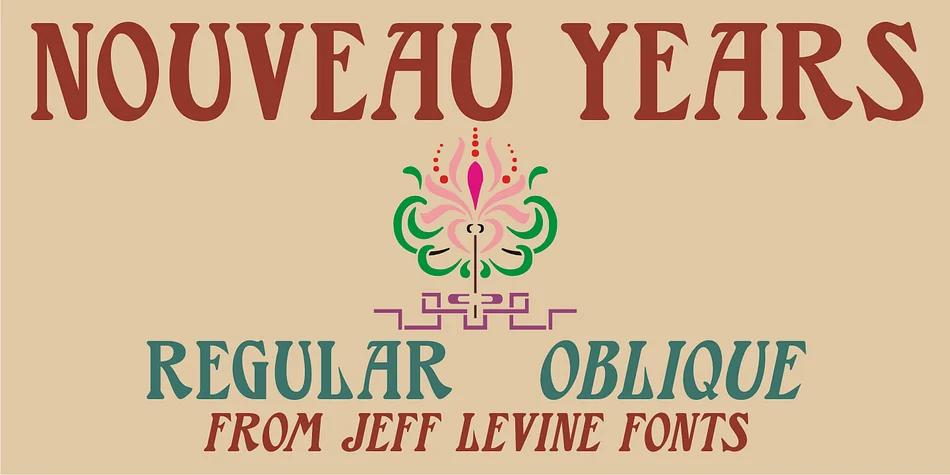
Nouveau Years JNL captures the spirit of ornate hand lettering found on early 1900s sheet music covers, where typography and decoration worked in tandem. This decorative typeface, designed by Jeff Levine Fonts, features the flowing curves and refined flourishes characteristic of the Art Nouveau movement. The letterforms carry a theatrical quality that feels both sophisticated and energetic, making them ideal for projects that need a touch of period charm and visual impact.
The font brings vintage elegance to contemporary work with ease. Wedding invitation suites gain theatrical refinement, while vintage sheet music reproductions benefit from its authentic period character. Jazz club posters, high-end perfume packaging labels, and cocktail menu cards all showcase the letterforms beautifully. Available in regular and oblique versions, it gives you flexibility for tilted, dynamic compositions when your design calls for it. The oblique option works particularly well for projects seeking an energetic slant without sacrificing readability.
Designers working to evoke early 20th-century sophistication will find Nouveau Years JNL invaluable for everything from antique bookstore signage to vinyl record sleeve designs. It performs equally well as a headline typeface in editorial layouts or as a striking display element in branding that gravitates toward nostalgic luxury. Get this font on Creative Fabrica.
Style & Use Cases
- Overall Style
- Bold, Distinctive
- Use Case
- Headlines, Posters
- Ideal For
- logos, packaging, and standout titles
- Pairs With
- a neutral sans-serif
How to Install NOUVEAU YEARS JNL Font
Step-by-step instructions for every platform
- 1Download the NOUVEAU YEARS JNL font file (.ttf or .otf).
- 2Locate the downloaded file in your Downloads folder.
- 3Right-click the font file.
- 4Select "Install" to install for the current user, or "Install for all users" to make it available system-wide.
- 5NOUVEAU YEARS JNL is now available in Word, Photoshop, Illustrator, and all other apps.
More by Jeff Levine Fonts
View all →



Browse fonts by theme
Curated collections →Saw a font in a picture? Identify any font from an image with our free Font Finder.
More Decorative Fonts
Browse all →







What pairs well with NOUVEAU YEARS JNL Font?
NOUVEAU YEARS JNL Font is a decorative font that shines as a display or heading face. Pair it with a clean sans-serif or serif font for body text — the contrast creates a clear hierarchy while the two styles stay balanced and easy to read.




NOUVEAU YEARS JNL Font
Reviewed by the FontBoxDL team · Updated June 2026