 Firefox
 1 / 8
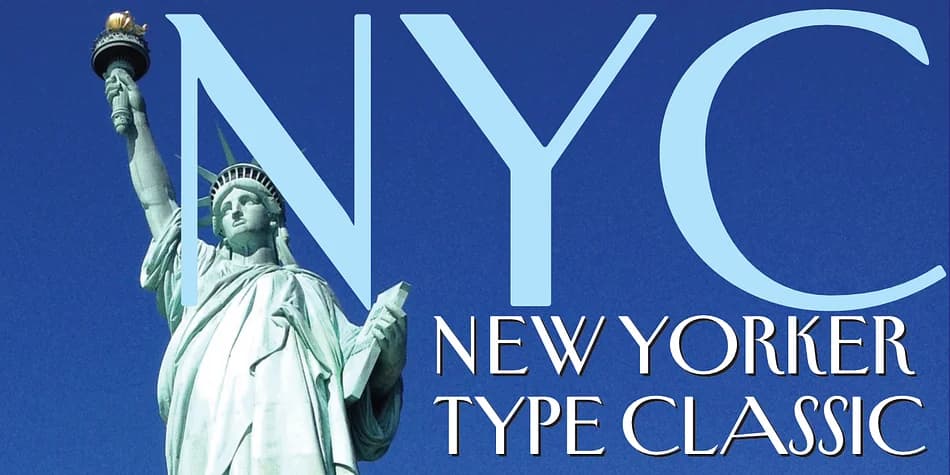
1 / 8About New Yorker Type Classic Font
New Yorker Type Classic by Wiescher-Design is a refined decorative typeface inspired by the iconic New Yorker magazine masthead. Created entirely by hand in 1985 as a personal interpretation of Rea Irvin's legendary design, this font has evolved significantly over the decades. The designer later completed a major overhaul that added Swash Initials, Cyrillic and Greek glyphs, and a substantial ligature set. The final package includes 1,075 glyphs total with support for most Latin writing systems.
Two stylistic flavors are available: the Classic version with rounded corners for a gentle, traditional approach, or the Pro variant with pointed letterforms that feel more contemporary. Editorial spreads and magazine covers work beautifully with its distinctive character work. High-end wine labels and spirits packaging gain immediate credibility, while literary journal mastheads and vintage-inspired book jacket designs feel equally at home. Subscription box branding and upscale restaurant menus also benefit from its considered letterforms and spacing.
This makes a solid choice if you're crafting a nostalgic brand or handling substantial editorial typography work. The extensive character set and flexible styling options provide real range across different applications. Grab New Yorker Type Classic on Creative Fabrica and bring some editorial polish to your next project.
Style & Use Cases
- Overall Style
- Bold, Distinctive
- Use Case
- Headlines, Posters
- Ideal For
- logos, packaging, and standout titles
- Pairs With
- a neutral sans-serif
How to Install New Yorker Type Classic Font
Step-by-step instructions for every platform
- 1Download the New Yorker Type Classic font file (.ttf or .otf).
- 2Locate the downloaded file in your Downloads folder.
- 3Right-click the font file.
- 4Select "Install" to install for the current user, or "Install for all users" to make it available system-wide.
- 5New Yorker Type Classic is now available in Word, Photoshop, Illustrator, and all other apps.
More by Wiescher-Design
View all →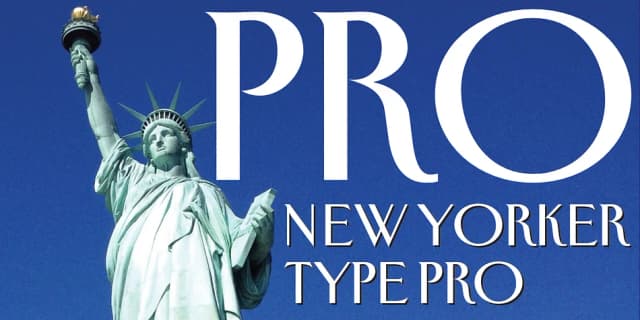

Browse fonts by theme
Curated collections →Saw a font in a picture? Identify any font from an image with our free Font Finder.
More Decorative Fonts
Browse all →







What pairs well with New Yorker Type Classic Font?
New Yorker Type Classic Font is a decorative font that shines as a display or heading face. Pair it with a clean sans-serif or serif font for body text — the contrast creates a clear hierarchy while the two styles stay balanced and easy to read.



New Yorker Type Classic Font
Reviewed by the FontBoxDL team · Updated June 2026