 Firefox
 1 / 8
1 / 8About Neuarc Font
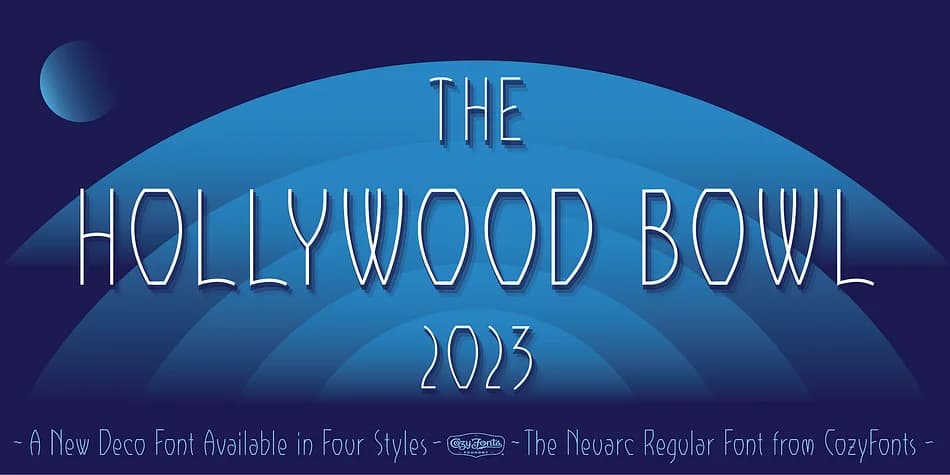
Imagine designing a luxury jewelry brand identity: you need distinctive letterforms with real personality and presence. Neuarc by CozyFonts Foundry delivers exactly that. Built from hand-drawn arcs and curves (the name says it all), this five-style decorative family channels the geometric sophistication of Art Deco without simply copying the era's playbook. CozyFonts scanned their original pencil sketches, refined them in Adobe Illustrator, and transferred each character into Fontlab with meticulous care. The glyphs themselves announce the craftsmanship: geometric A's, distinctive ampersands, and sculptural numbers stand out in a way that makes monogram design feel both natural and intentional.
Each style carries its own voice, from the refined Light to the commanding Bold. The family holds consistent legibility across size ranges, which matters when you're pushing decorative typography to work hard. Wedding invitation suites, high-end product labels, and boutique skincare packaging all benefit from Neuarc's strong presence and structured character. The Deco style variant especially shines for headlines and number-heavy applications. With distinctive glyphs that perform beautifully at display sizes, every style maintains its character whether you're working large or layering. You get genuine decorative character without sacrificing control. Find Neuarc on Creative Fabrica.
Style & Use Cases
- Overall Style
- Bold, Distinctive
- Use Case
- Headlines, Posters
- Ideal For
- logos, packaging, and standout titles
- Pairs With
- a neutral sans-serif
How to Install Neuarc Font
Step-by-step instructions for every platform
- 1Download the Neuarc font file (.ttf or .otf).
- 2Locate the downloaded file in your Downloads folder.
- 3Right-click the font file.
- 4Select "Install" to install for the current user, or "Install for all users" to make it available system-wide.
- 5Neuarc is now available in Word, Photoshop, Illustrator, and all other apps.
More by CozyFonts Foundry
View all →
Browse fonts by theme
Curated collections →Saw a font in a picture? Identify any font from an image with our free Font Finder.
More Decorative Fonts
Browse all →







What pairs well with Neuarc Font?
Neuarc Font is a decorative font that shines as a display or heading face. Pair it with a clean sans-serif or serif font for body text — the contrast creates a clear hierarchy while the two styles stay balanced and easy to read.



Neuarc Font
Reviewed by the FontBoxDL team · Updated June 2026