 Firefox
 1 / 8
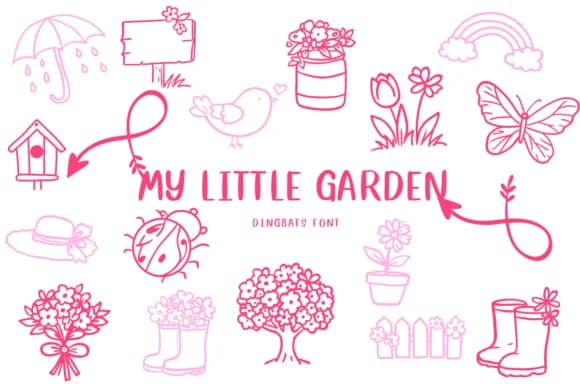
1 / 8About My Little Garden Font
When you're laying out an Easter card or spring wedding invitation and realize you need a little butterfly here and a blooming flower there, My Little Garden by CHANOK saves you from scrambling for separate clip art. This hand-drawn dingbats font packs a garden's worth of line-drawn characters into single keystrokes: butterflies, bumblebees, birds, rain boots, flower bunches, eggs, and more. Every glyph carries the same sketchy, organic warmth, so your designs feel cohesive whether you're building spring event stationery or garden-themed food labels.
The real strength shows up in uses like botanical wedding invitations, Easter greeting card sets, DIY herb garden markers, and nursery signage where a unified visual language matters. You could hand-draw these elements yourself, but having them ready as clickable characters cuts hours off your workflow and lets you focus on the bigger design decisions.
Each character is intentionally sketched rather than perfectly rendered, giving designs a handmade, personal quality that feels more genuine than slick vector libraries. The outline style reads cleanly at large sizes and scales down without losing detail, so it works beautifully for anything from event signage to sticker sheets and stamp designs. Find it on Creative Fabrica and unlock a complete garden's worth of ready-to-use decorative elements.
Style & Use Cases
- Overall Style
- Iconographic, Spring
- Use Case
- Icons, Accents
- Ideal For
- ornaments, bullets, and decorative flourishes
- Pairs With
- any text font
How to Install My Little Garden Font
Step-by-step instructions for every platform
- 1Download the My Little Garden font file (.ttf or .otf).
- 2Locate the downloaded file in your Downloads folder.
- 3Right-click the font file.
- 4Select "Install" to install for the current user, or "Install for all users" to make it available system-wide.
- 5My Little Garden is now available in Word, Photoshop, Illustrator, and all other apps.

Browse fonts by theme
Curated collections →Saw a font in a picture? Identify any font from an image with our free Font Finder.
More Dingbats Fonts
Browse all →







What pairs well with My Little Garden Font?
My Little Garden Font is a versatile dingbats font that works for both headings and body text. Pair it with a contrasting sans-serif or serif font to add visual interest and a clear distinction between titles and body copy.



My Little Garden Font
by CHANOK
Reviewed by the FontBoxDL team · Updated June 2026