 Firefox
 1 / 5
1 / 5About MOVIE SCREEN JNL Font
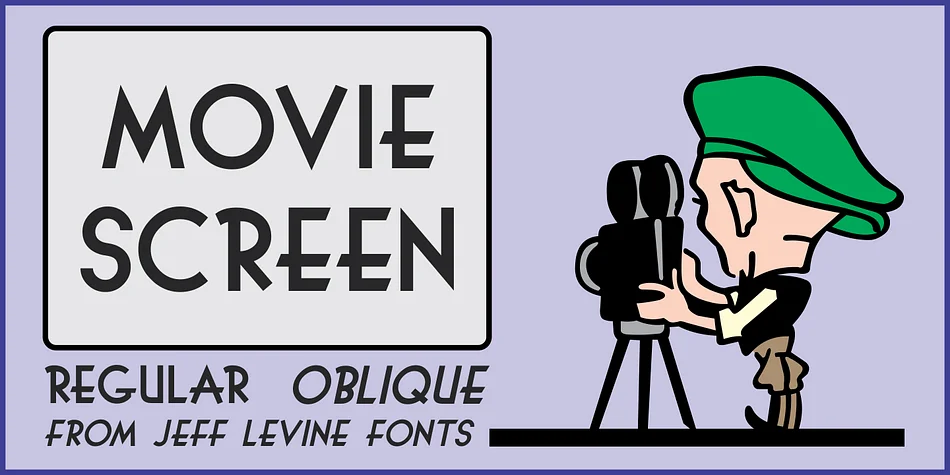
Classic Hollywood hand-lettering has a warmth and character that feels nearly impossible to replicate digitally, and MOVIE SCREEN JNL by Jeff Levine Fonts gets it right. This font draws directly from the opening titles of the 1944 Laurel and Hardy short "The Big Noise", faithfully preserving all the hand-drawn irregularities and theatrical flair that defined cinema aesthetics in the Golden Age.
That vintage cinema appeal makes this font indispensable for vintage movie poster designs that need authentic period flavor, retro cinema marquee signage with genuine character, and themed event invitations that transport viewers back to classic Hollywood nights. You can put it to work on 1940s-inspired product packaging, vintage theater program covers, and hand-crafted DIY signs where that Golden Age aesthetic strengthens the entire design. The font comes in both regular and oblique versions, giving you complete flexibility to adapt it across different headline treatments and text angles depending on your layout needs.
This is the font for designers building period-specific brand identities rooted in classic cinema, and for any project that depends on capturing that timeless Hollywood look. Grab MOVIE SCREEN JNL on Creative Fabrica today and bring all those authentic opening-credit vibes into your next design project.
Style & Use Cases
- Overall Style
- Bold, Distinctive
- Use Case
- Headlines, Posters
- Ideal For
- logos, packaging, and standout titles
- Pairs With
- a neutral sans-serif
How to Install MOVIE SCREEN JNL Font
Step-by-step instructions for every platform
- 1Download the MOVIE SCREEN JNL font file (.ttf or .otf).
- 2Locate the downloaded file in your Downloads folder.
- 3Right-click the font file.
- 4Select "Install" to install for the current user, or "Install for all users" to make it available system-wide.
- 5MOVIE SCREEN JNL is now available in Word, Photoshop, Illustrator, and all other apps.
More by Jeff Levine Fonts
View all →



Browse fonts by theme
Curated collections →Saw a font in a picture? Identify any font from an image with our free Font Finder.
More Decorative Fonts
Browse all →







What pairs well with MOVIE SCREEN JNL Font?
MOVIE SCREEN JNL Font is a decorative font that shines as a display or heading face. Pair it with a clean sans-serif or serif font for body text — the contrast creates a clear hierarchy while the two styles stay balanced and easy to read.




MOVIE SCREEN JNL Font
Reviewed by the FontBoxDL team · Updated June 2026