 Firefox
 1 / 5
1 / 5About MOVIE NOUVEAU JNL Font
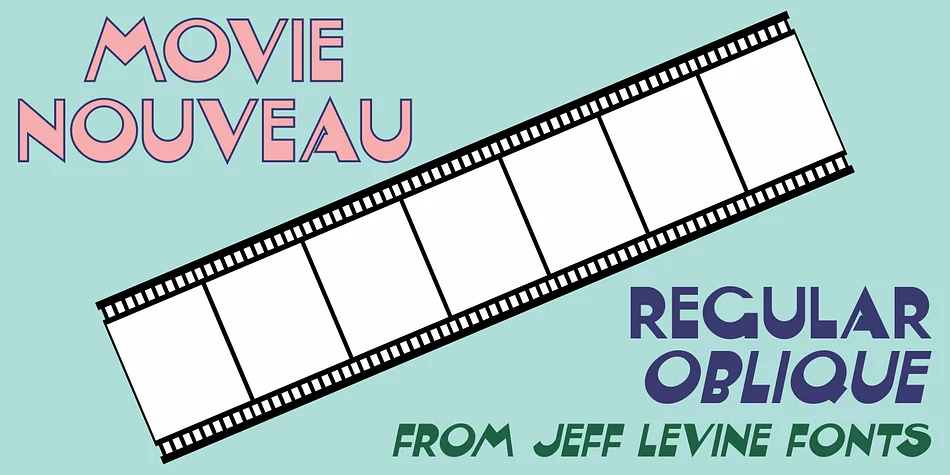
Picture a lavish golden-age Hollywood party invitation or a speakeasy menu from the Roaring Twenties. That's the era MOVIE NOUVEAU JNL, from Jeff Levine Fonts, captures with elegant precision. This typeface draws inspiration directly from the hand-lettered title of Shadowland, a 1920s industry magazine known for documenting behind-the-scenes film production stories and insider gossip about the entertainment world. Its Art Nouveau sensibility carries that graceful, slightly geometric character of the era without ever feeling stiff or overly formal, and it absolutely works equally well in contemporary designs while maintaining rich authentic period flavor.
This font shines brilliantly across projects demanding authentic 1920s glamour and style: vintage film festival posters and promotional materials, retro speakeasy branding and signage, period-accurate magazine layouts, and classic cinema-themed event packaging and invitations. The letterforms themselves maintain surprising readability despite their decorative nature, working equally well at large headline sizes and in smaller print applications. Movie Nouveau JNL comes in both regular and oblique weights, giving you flexibility to layer them together for visual emphasis or use the slant version to add striking dynamic contrast and energy to your designs. Find it on Creative Fabrica whenever you're ready and bring unmistakable old-Hollywood character and sophistication to your next design project.
Style & Use Cases
- Overall Style
- Bold, Distinctive
- Use Case
- Headlines, Posters
- Ideal For
- logos, packaging, and standout titles
- Pairs With
- a neutral sans-serif
How to Install MOVIE NOUVEAU JNL Font
Step-by-step instructions for every platform
- 1Download the MOVIE NOUVEAU JNL font file (.ttf or .otf).
- 2Locate the downloaded file in your Downloads folder.
- 3Right-click the font file.
- 4Select "Install" to install for the current user, or "Install for all users" to make it available system-wide.
- 5MOVIE NOUVEAU JNL is now available in Word, Photoshop, Illustrator, and all other apps.
More by Jeff Levine Fonts
View all →



Browse fonts by theme
Curated collections →Saw a font in a picture? Identify any font from an image with our free Font Finder.
More Decorative Fonts
Browse all →







What pairs well with MOVIE NOUVEAU JNL Font?
MOVIE NOUVEAU JNL Font is a decorative font that shines as a display or heading face. Pair it with a clean sans-serif or serif font for body text — the contrast creates a clear hierarchy while the two styles stay balanced and easy to read.




MOVIE NOUVEAU JNL Font
Reviewed by the FontBoxDL team · Updated June 2026