 Firefox
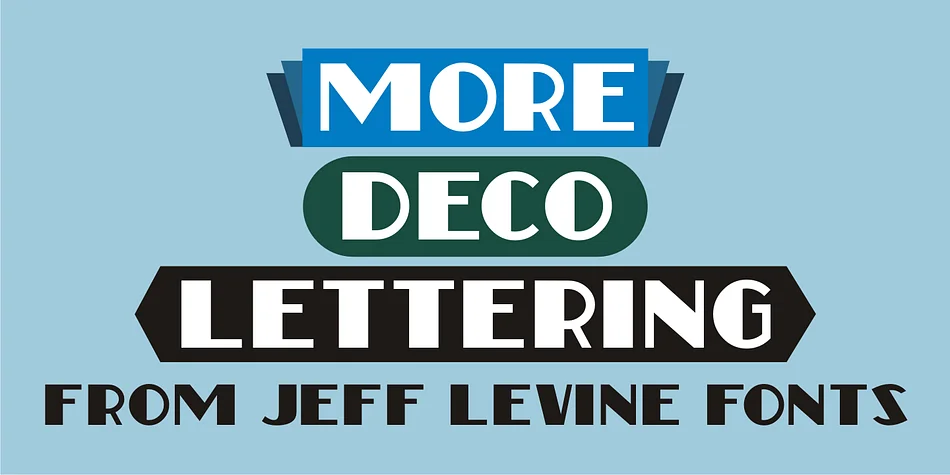
About MORE DECO LETTERING JNL Font
Picture yourself designing a vintage-inspired wine label or an art deco poster, and you need letterforms that feel distinctly retro but still bold enough to command real attention on the shelf. That's where More Deco Lettering JNL from Jeff Levine Fonts comes in. This decorative sans draws its visual presence from classic thick-and-thin proportions found in early 20th-century typography, revived from design sketches that spent years gathering dust in the archives before being brought back to life.
The font truly shines for boutique packaging design, especially on vintage-inspired cosmetics and craft product labels where that retro sensibility really pays off. Art deco event invitations, retro café menus, and 1920s-style poster art all benefit from its distinctive letterforms and rhythm. The bold weight and pronounced contrast between thick and thin strokes give it genuine presence that reads crisp and clear even at larger display sizes, making it equally at home in signage work and large-scale headlines. You'll notice it holds up beautifully when you let it fill the space it deserves.
Its geometric personality works best when you give it room to breathe on the page, particularly for logos and branding projects leaning into that retro aesthetic. Grab it from Creative Fabrika and add a typeface that truly captures vintage character without feeling contrived.
Style & Use Cases
- Overall Style
- Bold, Distinctive
- Use Case
- Headlines, Posters
- Ideal For
- logos, packaging, and standout titles
- Pairs With
- a neutral sans-serif
How to Install MORE DECO LETTERING JNL Font
Step-by-step instructions for every platform
- 1Download the MORE DECO LETTERING JNL font file (.ttf or .otf).
- 2Locate the downloaded file in your Downloads folder.
- 3Right-click the font file.
- 4Select "Install" to install for the current user, or "Install for all users" to make it available system-wide.
- 5MORE DECO LETTERING JNL is now available in Word, Photoshop, Illustrator, and all other apps.
More by Jeff Levine Fonts
View all →



Browse fonts by theme
Curated collections →Saw a font in a picture? Identify any font from an image with our free Font Finder.
More Decorative Fonts
Browse all →







What pairs well with MORE DECO LETTERING JNL Font?
MORE DECO LETTERING JNL Font is a decorative font that shines as a display or heading face. Pair it with a clean sans-serif or serif font for body text — the contrast creates a clear hierarchy while the two styles stay balanced and easy to read.




MORE DECO LETTERING JNL Font
Reviewed by the FontBoxDL team · Updated June 2026