 Firefox
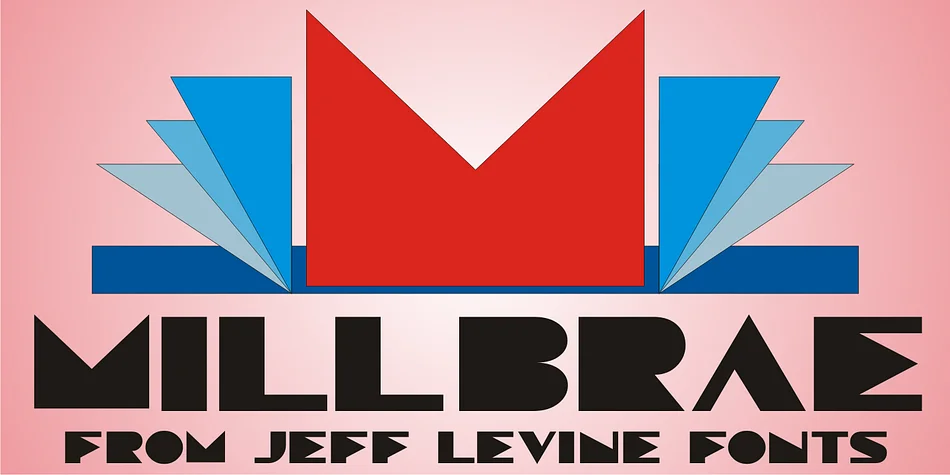
About MILLBRAE JNL Font
The sharp, angular geometry and refined strokes of Art Deco letterforms give Millbrae JNL its distinctive presence, pulling directly from a vintage neon sign that once graced a California office building. Designer Jeff Levine captured this aesthetic after being inspired by a photograph of the historic Millbrae Theater sign, translating its elegant geometry into a digital typeface with genuine character.
The visual language works beautifully for projects seeking mid-century glamour and period authenticity. Think speakeasy menu cards, vintage jazz event posters, Art Deco wedding stationery, and DIY signage for a retro home bar. Restaurant branding built around 1920s aesthetics finds its natural voice in these letterforms, and so does boutique packaging designed to feel established and timelessly sophisticated. The geometric precision and visual weight carry through every character, making it work across different applications.
This font suits any designer working on projects rooted in the elegance of Art Deco, whether building a complete vintage brand identity or adding authentic period lettering to a single piece. Millbrae JNL is available on Creative Fabrica for those ready to bring that old-Hollywood sophistication into their work.
Style & Use Cases
- Overall Style
- Bold, Distinctive
- Use Case
- Headlines, Posters
- Ideal For
- logos, packaging, and standout titles
- Pairs With
- a neutral sans-serif
How to Install MILLBRAE JNL Font
Step-by-step instructions for every platform
- 1Download the MILLBRAE JNL font file (.ttf or .otf).
- 2Locate the downloaded file in your Downloads folder.
- 3Right-click the font file.
- 4Select "Install" to install for the current user, or "Install for all users" to make it available system-wide.
- 5MILLBRAE JNL is now available in Word, Photoshop, Illustrator, and all other apps.
More by Jeff Levine Fonts
View all →



Browse fonts by theme
Curated collections →Saw a font in a picture? Identify any font from an image with our free Font Finder.
More Decorative Fonts
Browse all →







What pairs well with MILLBRAE JNL Font?
MILLBRAE JNL Font is a decorative font that shines as a display or heading face. Pair it with a clean sans-serif or serif font for body text — the contrast creates a clear hierarchy while the two styles stay balanced and easy to read.




MILLBRAE JNL Font
Reviewed by the FontBoxDL team · Updated June 2026