 Firefox
 1 / 5
1 / 5About Merchant Trade JNL Font
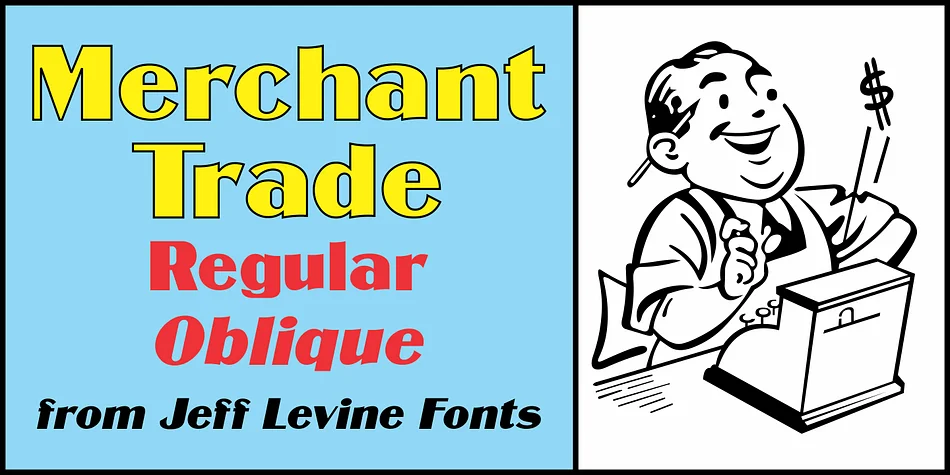
The thick and thin stroke contrast in this typeface brings back the distinctive visual energy of early 20th-century industrial lettering, with each character holding real weight and genuine personality on the page. Merchant Trade JNL, a digital redrawing by Jeff Levine Fonts, springs directly from the Matthews Series foundry type, an influential design produced around 1902 by the Inland Type Foundry in St. Louis, and every letterform captures that heritage with modern precision and clarity.
This geometric typeface with its dramatic weight shifts and refined proportions works beautifully across display contexts where you need genuine personality and strong visual presence. You'll find it particularly effective for vintage product label suites, speakeasy poster designs, retro packaging for small-batch craft brands, and art deco-style invitation sets. The font comes in both regular and oblique versions, giving you flexibility to layer in movement or visual emphasis without having to switch typefaces entirely.
It's the natural choice for designers hunting authentic early-1900s industrial character without the drawback of looking literally antiquated or rendering poorly on screens at smaller sizes. Grab it on Creative Fabrica and make it part of your working type collection.
Style & Use Cases
- Overall Style
- Bold, Distinctive
- Use Case
- Headlines, Posters
- Ideal For
- logos, packaging, and standout titles
- Pairs With
- a neutral sans-serif
How to Install Merchant Trade JNL Font
Step-by-step instructions for every platform
- 1Download the Merchant Trade JNL font file (.ttf or .otf).
- 2Locate the downloaded file in your Downloads folder.
- 3Right-click the font file.
- 4Select "Install" to install for the current user, or "Install for all users" to make it available system-wide.
- 5Merchant Trade JNL is now available in Word, Photoshop, Illustrator, and all other apps.
More by Jeff Levine Fonts
View all →



Browse fonts by theme
Curated collections →Saw a font in a picture? Identify any font from an image with our free Font Finder.
More Decorative Fonts
Browse all →







What pairs well with Merchant Trade JNL Font?
Merchant Trade JNL Font is a decorative font that shines as a display or heading face. Pair it with a clean sans-serif or serif font for body text — the contrast creates a clear hierarchy while the two styles stay balanced and easy to read.




Merchant Trade JNL Font
Reviewed by the FontBoxDL team · Updated June 2026