 Firefox
 1 / 8
1 / 8About Love Clipart Font
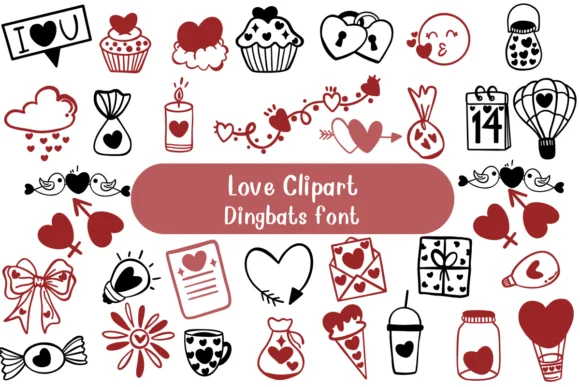
Instead of traditional letterforms, Love Clipart trades characters for hand-drawn charm. Designed by Nongyao, this dingbats collection replaces the standard alphabet with a cohesive set of love-themed icons: delicate hearts, playful cupcakes, romantic lanterns, and other decorative flourishes that communicate through imagery. Each keystroke delivers a complete illustration rather than a letter, giving you instant visual elements without hunting through separate clipart files or cobbling together assets from multiple sources.
The hand-drawn doodle aesthetic and crisp outlines keep every icon legible at any size, from small accents to bold focal points. Beyond Valentine's Day cards, this font works beautifully for wedding invitation suites, personalized gift tags, DIY craft signage, and Etsy product labels where every detail counts. Layer these icons across packaging, social media graphics, and printed materials to build designs that look intentional and visually connected, with a personality that readers recognize at a glance.
Crafters and small business owners benefit most from having these elements readily accessible through a single font file. Simply type to build your designs instead of hunting for individual icons, saving hours while keeping that handcrafted quality throughout your work. Love Clipart is available on Creative Fabrica for anyone wanting decorative imagery that's ready to use immediately.
Style & Use Cases
- Overall Style
- Iconographic, Diy
- Use Case
- Icons, Accents
- Ideal For
- ornaments, bullets, and decorative flourishes
- Pairs With
- any text font
How to Install Love Clipart Font
Step-by-step instructions for every platform
- 1Download the Love Clipart font file (.ttf or .otf).
- 2Locate the downloaded file in your Downloads folder.
- 3Right-click the font file.
- 4Select "Install" to install for the current user, or "Install for all users" to make it available system-wide.
- 5Love Clipart is now available in Word, Photoshop, Illustrator, and all other apps.




Browse fonts by theme
Curated collections →Saw a font in a picture? Identify any font from an image with our free Font Finder.
More Dingbats Fonts
Browse all →







What pairs well with Love Clipart Font?
Love Clipart Font is a versatile dingbats font that works for both headings and body text. Pair it with a contrasting sans-serif or serif font to add visual interest and a clear distinction between titles and body copy.




Love Clipart Font
by Nongyao
Reviewed by the FontBoxDL team · Updated June 2026