 Firefox
About JAZZ GUITAR JNL Font
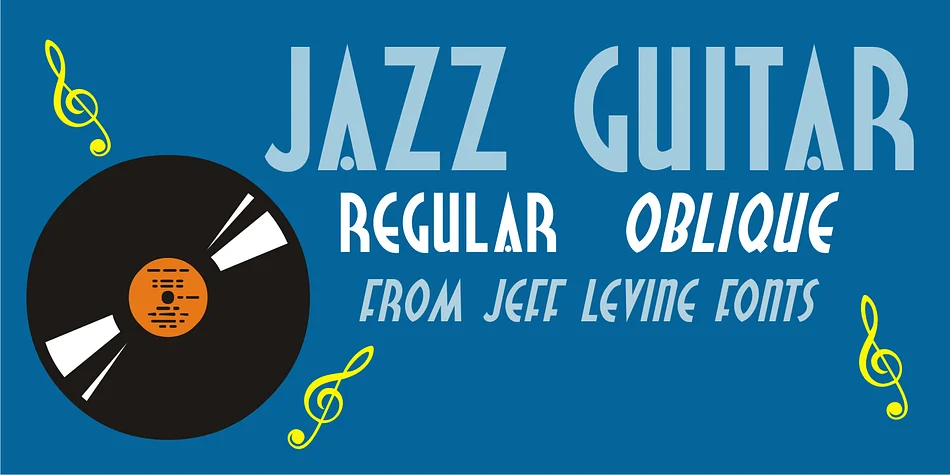
Picture a hand-painted speakeasy sign or a vintage menu for a Latin jazz lounge. That's the mood JAZZ GUITAR JNL by Jeff Levine Fonts captures instantly. This decorative typeface springs from 1940s sheet music lettering, specifically the hand-drawn title art for "Make Love with a Guitar," which featured that romantic image of serenading under the stars. The designer reimagined that Art Deco letterform as a full font, keeping the theatrical flair and rhythmic elegance of the original.
The typeface shines in contexts where nostalgia and character matter most. Think retro tiki bar branding, vinyl record sleeve titles, swing era event invitations, and cocktail lounge menus. It works equally well on vintage travel posters or guitar shop signage. The letterforms have that hand-lettered authenticity without sacrificing legibility, so they punch at display sizes where you need visual impact. There's a reason decorative fonts inspired by classic eras keep getting used: they carry emotional weight that generic sans-serifs simply can't touch.
JAZZ GUITAR JNL ships in regular and oblique versions, so you've got options when you need a slant for dramatic compositions. Pick it up on Creative Fabrica and bring that swinging, timeless energy to your next project.
Style & Use Cases
- Overall Style
- Bold, Distinctive
- Use Case
- Headlines, Posters
- Ideal For
- logos, packaging, and standout titles
- Pairs With
- a neutral sans-serif
How to Install JAZZ GUITAR JNL Font
Step-by-step instructions for every platform
- 1Download the JAZZ GUITAR JNL font file (.ttf or .otf).
- 2Locate the downloaded file in your Downloads folder.
- 3Right-click the font file.
- 4Select "Install" to install for the current user, or "Install for all users" to make it available system-wide.
- 5JAZZ GUITAR JNL is now available in Word, Photoshop, Illustrator, and all other apps.
More by Jeff Levine Fonts
View all →



Browse fonts by theme
Curated collections →Saw a font in a picture? Identify any font from an image with our free Font Finder.
More Decorative Fonts
Browse all →







What pairs well with JAZZ GUITAR JNL Font?
JAZZ GUITAR JNL Font is a decorative font that shines as a display or heading face. Pair it with a clean sans-serif or serif font for body text — the contrast creates a clear hierarchy while the two styles stay balanced and easy to read.




JAZZ GUITAR JNL Font
Reviewed by the FontBoxDL team · Updated June 2026