 Firefox
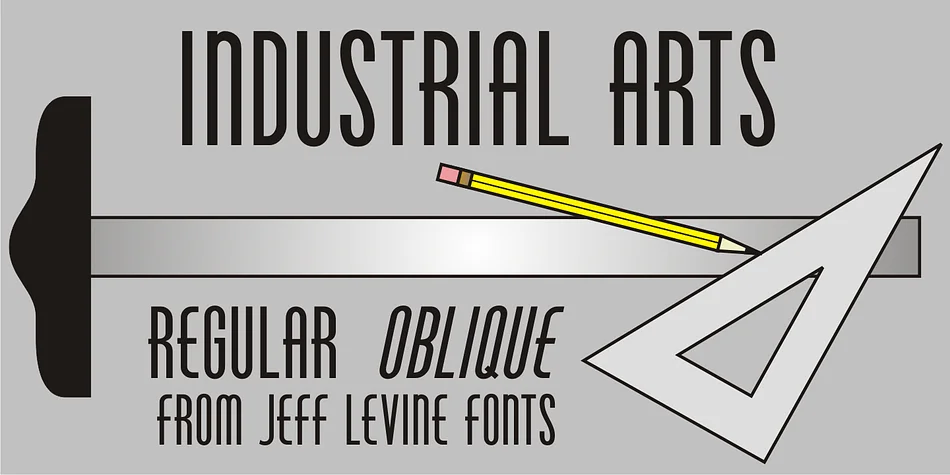
About INDUSTRIAL ARTS JNL Font
This typeface combines sharp angles with deliberate hand-drawn imperfections to deliver distinctly industrial-era visual personality and presence. Industrial Arts JNL, expertly designed by Jeff Levine Fonts, reimagines the 1935 Phenix American classic for contemporary display use, successfully maintaining the confident geometric strength while ditching truly unnecessary ornament and fussiness.
The prominent all-caps letterforms are constructed for serious visual impact and genuinely excel across specific contexts: vintage concert and theater posters, small-batch craft brewery and artisan distillery labels, art deco-inspired event invitations and announcements, and retro-style restaurant menus leaning hard into period authenticity. The individual letterforms are deliberately restrained so they won't overwhelm a composition, yet remain bold and distinctive enough to command real attention in crowded design layouts and busy compositions. Both the regular and oblique versions provide substantial creative flexibility for tilted and angular compositions, dynamic page layouts, or angular text placement without compromising fine edge definition or legibility.
Combine it with a clean sans-serif like Futura or Gotham for your body text, which preserves clear visual hierarchy and lets your display work carry all the primary personality. Get this timeless piece of authentic design history from Creative Fabrica today and bring some genuine midcentury swagger to your next project.
Style & Use Cases
- Overall Style
- Bold, Distinctive
- Use Case
- Headlines, Posters
- Ideal For
- logos, packaging, and standout titles
- Pairs With
- a neutral sans-serif
How to Install INDUSTRIAL ARTS JNL Font
Step-by-step instructions for every platform
- 1Download the INDUSTRIAL ARTS JNL font file (.ttf or .otf).
- 2Locate the downloaded file in your Downloads folder.
- 3Right-click the font file.
- 4Select "Install" to install for the current user, or "Install for all users" to make it available system-wide.
- 5INDUSTRIAL ARTS JNL is now available in Word, Photoshop, Illustrator, and all other apps.
More by Jeff Levine Fonts
View all →



Browse fonts by theme
Curated collections →Saw a font in a picture? Identify any font from an image with our free Font Finder.
More Decorative Fonts
Browse all →







What pairs well with INDUSTRIAL ARTS JNL Font?
INDUSTRIAL ARTS JNL Font is a decorative font that shines as a display or heading face. Pair it with a clean sans-serif or serif font for body text — the contrast creates a clear hierarchy while the two styles stay balanced and easy to read.




INDUSTRIAL ARTS JNL Font
Reviewed by the FontBoxDL team · Updated June 2026