
 1 / 5
1 / 5About I'm Yours! Font
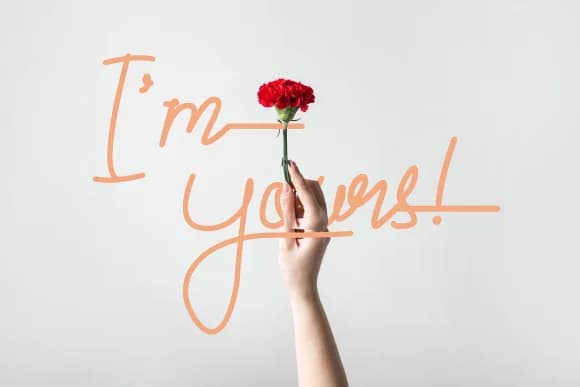
I'm Yours! by thefontune is a casual handwritten script with relaxed, friendly letterforms that feel like someone took the time to write you a personal note. The font works beautifully for wedding invitation suites, custom Etsy product labels, personalized greeting cards, and any design project where authenticity matters more than formality. It's equally at home designing boutique skincare or candle packaging, creating DIY craft signage, or lettering social media story graphics that call for genuine warmth instead of polish. The letterforms carry a conversational quality that reads as honest and approachable without trying too hard.
Alternate characters built into this script give you options to swap out letters throughout a design and sidestep the repetition that creeps in with longer text blocks. That flexibility makes it useful everywhere from large display headlines down to smaller captions and body copy, turning it into a genuine workhorse font that earns a regular spot in your collection. Because the script feels so lived-in and natural, readers instinctively trust it, which matters a lot for projects where you're trying to build connection rather than just grab attention.
Add I'm Yours! to your Creative Fabrica library and put this handwritten script to work in your next project.
How to Install I'm Yours! Font Font
Step-by-step instructions for every platform
- 1Download the I'm Yours! Font font file (.ttf or .otf).
- 2Locate the downloaded file in your Downloads folder.
- 3Right-click the font file.
- 4Select "Install" to install for the current user, or "Install for all users" to make it available system-wide.
- 5I'm Yours! Font is now available in Word, Photoshop, Illustrator, and all other apps.
More Script Handwritten Fonts
Browse all →







What pairs well with I'm Yours! Font?
I'm Yours! Font is a script font that shines as a display or heading face. Pair it with a clean sans-serif or serif font for body text — the contrast creates a clear hierarchy while the two styles stay balanced and easy to read.


I'm Yours! Font
by thefontune
Reviewed by the FontBoxDL team · Updated June 2026