 Firefox
About HOME ECONOMICS JNL Font
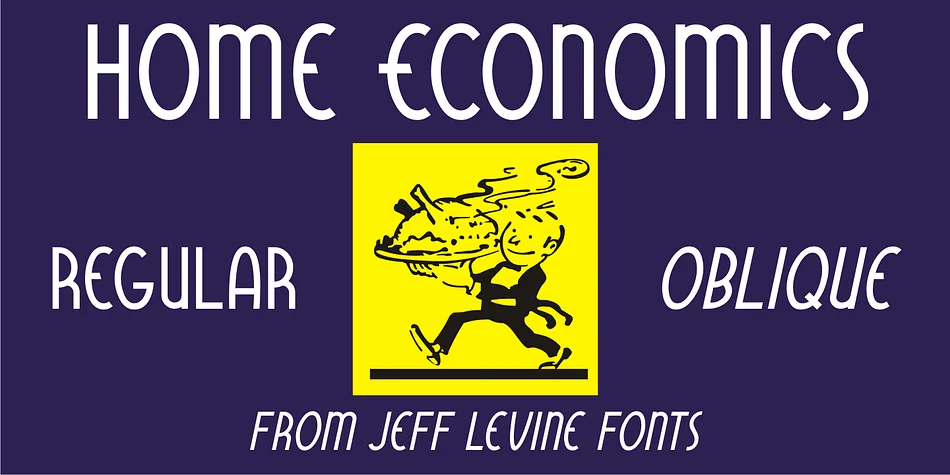
HOME ECONOMICS JNL by Jeff Levine Fonts is a casual Art Deco sans serif drawn from an authentic 1940s sewing machine attachment label. The typeface captures that hand-lettered warmth you find in vintage product packaging, where function and character lived side by side. Its geometric forms and playful proportions make it instantly recognizable without feeling stiff or overly formal, keeping a friendly, approachable energy throughout.
This font works beautifully for projects that need genuine period charm without tipping into kitsch territory. Consider it for vintage-inspired product labels, especially anything related to sewing, needlework, or fiber arts. It's equally at home on retro craft packaging, DIY scrapbooking layouts, and handmade sticker designs that call for authentic 1940s character. If you're building a brand around vintage aesthetics, cottage craft vibes, or mid-century nostalgia, the clean lines here give you real breathing room without sacrificing personality or warmth.
The typeface comes in both regular and oblique versions, letting you add emphasis or motion without breaking the visual character. Whether you're designing for screen or print, the letterforms stay clear and readable across different sizes. Pick up HOME ECONOMICS JNL on Creative Fabrica and get this slice of mid-century charm into your next project.
Style & Use Cases
- Overall Style
- Bold, Distinctive
- Use Case
- Headlines, Posters
- Ideal For
- logos, packaging, and standout titles
- Pairs With
- a neutral sans-serif
How to Install HOME ECONOMICS JNL Font
Step-by-step instructions for every platform
- 1Download the HOME ECONOMICS JNL font file (.ttf or .otf).
- 2Locate the downloaded file in your Downloads folder.
- 3Right-click the font file.
- 4Select "Install" to install for the current user, or "Install for all users" to make it available system-wide.
- 5HOME ECONOMICS JNL is now available in Word, Photoshop, Illustrator, and all other apps.
More by Jeff Levine Fonts
View all →



Browse fonts by theme
Curated collections →Saw a font in a picture? Identify any font from an image with our free Font Finder.
More Decorative Fonts
Browse all →







What pairs well with HOME ECONOMICS JNL Font?
HOME ECONOMICS JNL Font is a decorative font that shines as a display or heading face. Pair it with a clean sans-serif or serif font for body text — the contrast creates a clear hierarchy while the two styles stay balanced and easy to read.




HOME ECONOMICS JNL Font
Reviewed by the FontBoxDL team · Updated May 2026