 Firefox
 1 / 8
1 / 8About Handspeak Font
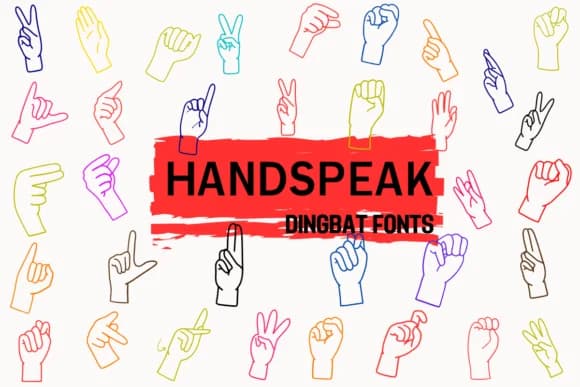
Handspeak by Petal Pixels is a dingbat font constructed entirely from hand gesture symbols inspired by contemporary sign language communications. Rather than traditional letters or numbers, each keystroke produces a distinct hand sign, rendered in a clean, minimalist line art style. The vector-based construction means your designs stay sharp and crisp whether scaling to social media thumbnail size or large billboard dimensions, making it equally useful for screen and print work.
This font works beautifully in accessibility-focused branding, educational materials about sign language, and inclusive communication systems. Think digital sticker sets marketed for accessibility advocacy, entrance signage that genuinely welcomes all visitors, educational posters for ASL learners, interactive scrapbooking layouts celebrating various communication styles, or printable classroom resources for teachers integrating sign language into their curricula. The gesture vocabulary spans enough territory to support serious inclusive design work, not just decorative flourishes.
Nonprofits building accessible design systems, educators developing inclusive curricula, and Etsy sellers creating accessibility-minded sticker sheets all discover real value in Handspeak. Because the font uses universal hand shapes rather than language-specific characters, you sidestep the typical licensing tangles that arise in multilingual projects. Get Handspeak on Creative Fabrica and begin building richer, more accessible and inclusive designs.
Style & Use Cases
- Overall Style
- Iconographic, Sign Language Font
- Use Case
- Icons, Accents
- Ideal For
- ornaments, bullets, and decorative flourishes
- Pairs With
- any text font
How to Install Handspeak Font
Step-by-step instructions for every platform
- 1Download the Handspeak font file (.ttf or .otf).
- 2Locate the downloaded file in your Downloads folder.
- 3Right-click the font file.
- 4Select "Install" to install for the current user, or "Install for all users" to make it available system-wide.
- 5Handspeak is now available in Word, Photoshop, Illustrator, and all other apps.
More by Petal Pixels
View all →

Browse fonts by theme
Curated collections →Saw a font in a picture? Identify any font from an image with our free Font Finder.
More Dingbats Fonts
Browse all →







What pairs well with Handspeak Font?
Handspeak Font is a versatile dingbats font that works for both headings and body text. Pair it with a contrasting sans-serif or serif font to add visual interest and a clear distinction between titles and body copy.



Handspeak Font
by Petal Pixels
Reviewed by the FontBoxDL team · Updated August 2026