 Firefox
 1 / 5
1 / 5About GOLDEN YEARS JNL Font
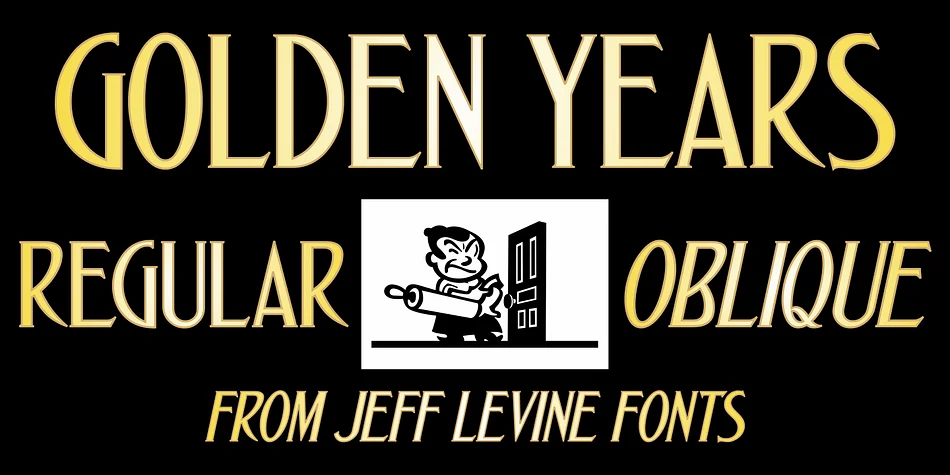
If you're drawn to letterforms with historical character and refined elegance, Golden Years JNL by Jeff Levine Fonts captures the charm of hand-lettered Art Nouveau type from a 1910 sheet music cover. The design features subtly spurred strokes that give it a distinctive personality while maintaining the flowing grace of the era's most celebrated typefaces.
The font gets its name from the song featured on that vintage sheet music, "We've kept the Golden Rule," which pictured an older couple below the title. That nostalgic connection runs through every character, making it feel both deliberately crafted and genuinely warm. You'll find the design works in two versions: a regular upright style and an oblique companion for added movement and depth.
This typeface excels for anyone working on wedding invitation suites, vintage-inspired event programs, artisanal product labels for small brands, and handmade card designs. Scrapbookers and craft enthusiasts particularly appreciate how the slightly ornamental letterforms add personality without overwhelming layouts. The spurred details catch light in subtle ways that more geometric fonts simply can't achieve, giving printed pieces a sense of hand-drawn authenticity. Golden Years JNL suits designers who value character over minimalism and want their work to feel intentional and grounded in typographic tradition. Grab it on Creative Fabrica to start building projects that feel timeless.
Style & Use Cases
- Overall Style
- Bold, Distinctive
- Use Case
- Headlines, Posters
- Ideal For
- logos, packaging, and standout titles
- Pairs With
- a neutral sans-serif
How to Install GOLDEN YEARS JNL Font
Step-by-step instructions for every platform
- 1Download the GOLDEN YEARS JNL font file (.ttf or .otf).
- 2Locate the downloaded file in your Downloads folder.
- 3Right-click the font file.
- 4Select "Install" to install for the current user, or "Install for all users" to make it available system-wide.
- 5GOLDEN YEARS JNL is now available in Word, Photoshop, Illustrator, and all other apps.
More by Jeff Levine Fonts
View all →



Browse fonts by theme
Curated collections →Saw a font in a picture? Identify any font from an image with our free Font Finder.
More Decorative Fonts
Browse all →







What pairs well with GOLDEN YEARS JNL Font?
GOLDEN YEARS JNL Font is a decorative font that shines as a display or heading face. Pair it with a clean sans-serif or serif font for body text — the contrast creates a clear hierarchy while the two styles stay balanced and easy to read.




GOLDEN YEARS JNL Font
Reviewed by the FontBoxDL team · Updated June 2026