 Firefox
 1 / 8
1 / 8About Glitter Font
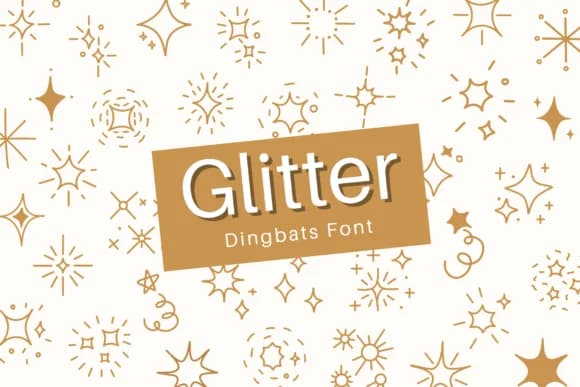
It's all playful retro warmth and groovy charm. Glitter, by designer Bambin, is a dingbats typeface that nails authentic retro character. Each mark carries that hand-drawn quality you find in genuine period ephemera, making these ornaments genuinely useful for projects that need visual personality without overreaching. They work equally well layered thick or used sparingly for just the right accent.
These dingbats work exceptionally well as embellishments in vinyl sticker designs for vintage shops, layering them into boho wedding invitation suites, adding texture to concert poster overlays, or decorating retro record sleeve treatments. You can also frame them around labels on boutique product packaging, build decorative borders for handmade craft signage, or enhance the edges of DIY greeting card designs. The marks stack and layer beautifully alongside handwritten scripts and display faces, giving you genuine flexibility in how you arrange them across a composition. Use them to fill negative space, create visual anchors, or simply add period-appropriate flair wherever your work needs extra shimmer.
Pair Glitter with a clean, straightforward sans-serif for body text or supporting information. This combination creates visual breathing room while the dingbats handle all the decorative lifting. Head to Creative Fabrica to add this retro gem to your collection.
Style & Use Cases
- Overall Style
- Iconographic, Retro
- Use Case
- Icons, Accents
- Ideal For
- ornaments, bullets, and decorative flourishes
- Pairs With
- any text font
How to Install Glitter Font
Step-by-step instructions for every platform
- 1Download the Glitter font file (.ttf or .otf).
- 2Locate the downloaded file in your Downloads folder.
- 3Right-click the font file.
- 4Select "Install" to install for the current user, or "Install for all users" to make it available system-wide.
- 5Glitter is now available in Word, Photoshop, Illustrator, and all other apps.
More by Bambin
View all →

Browse fonts by theme
Curated collections →Saw a font in a picture? Identify any font from an image with our free Font Finder.
More Dingbats Fonts
Browse all →







What pairs well with Glitter Font?
Glitter Font is a versatile dingbats font that works for both headings and body text. Pair it with a contrasting sans-serif or serif font to add visual interest and a clear distinction between titles and body copy.



Glitter Font
by Bambin
Reviewed by the FontBoxDL team · Updated June 2026