 Firefox
 1 / 8
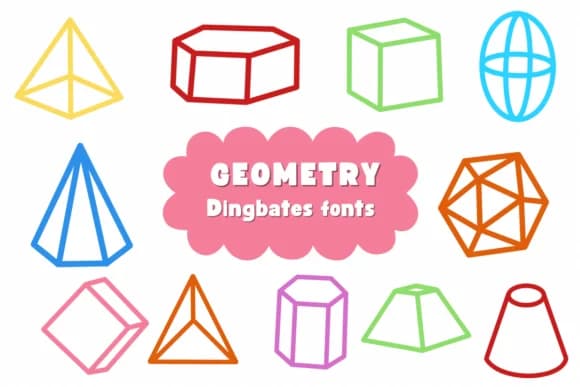
1 / 8About Geometry Font
Geometry brings playful, geometric energy to your creative work. Designed by Natchuta, this dingbats collection combines abstract shapes and doodle elements with clean, modern lines that feel contemporary without losing character.
Wedding invitation suites, decorative product labels for small-batch brands, custom greeting cards with hand-drawn personality, and DIY craft signage for home decor all benefit from what this font offers. The quirky accents feel handmade yet remain polished, which works especially well when you're seeking visual variety in compositions that still feel cohesive. Both OTF and TTF formats work across Procreate, Affinity Designer, Affinity Photo, and similar applications, giving you flexibility across your workflow. The coloring and outline capabilities let you build layered designs, adding depth and dimension. You won't need extra graphic files or overlays since the font handles complexity beautifully on its own.
Pair Geometry with a straightforward sans-serif like Poppins or Inter for body copy, letting these geometric marks create visual interest at key moments. This combination of ordered typography and playful symbols gives designs real personality. You'll find Geometry on Creative Fabrica, ready to bring abstract flair to your next project.
Style & Use Cases
- Overall Style
- Iconographic, Fonts
- Use Case
- Icons, Accents
- Ideal For
- ornaments, bullets, and decorative flourishes
- Pairs With
- any text font
How to Install Geometry Font
Step-by-step instructions for every platform
- 1Download the Geometry font file (.ttf or .otf).
- 2Locate the downloaded file in your Downloads folder.
- 3Right-click the font file.
- 4Select "Install" to install for the current user, or "Install for all users" to make it available system-wide.
- 5Geometry is now available in Word, Photoshop, Illustrator, and all other apps.

Browse fonts by theme
Curated collections →Saw a font in a picture? Identify any font from an image with our free Font Finder.
More Dingbats Fonts
Browse all →







What pairs well with Geometry Font?
Geometry Font is a versatile dingbats font that works for both headings and body text. Pair it with a contrasting sans-serif or serif font to add visual interest and a clear distinction between titles and body copy.



Geometry Font
by Natchuta
Reviewed by the FontBoxDL team · Updated June 2026