 Firefox
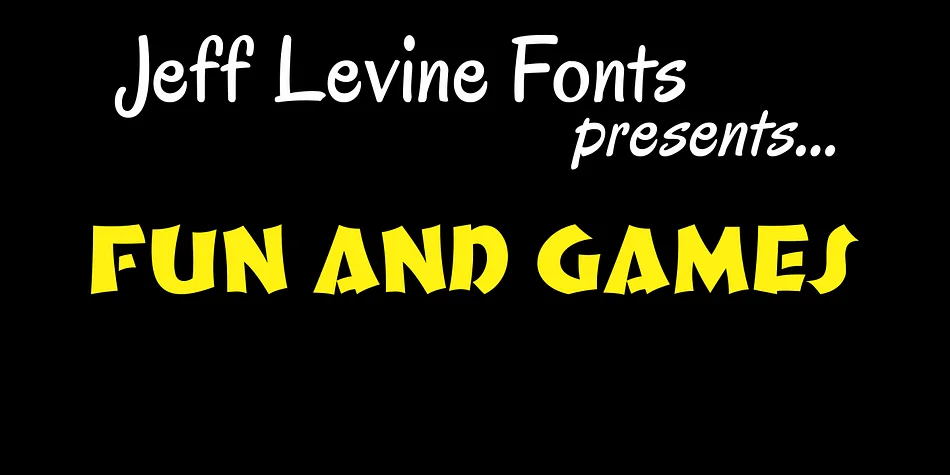
About Fun and Games JNL Font
This typeface channels the whimsical energy of 1930s hand lettering. Fun and Games JNL, created by Jeff Levine Fonts, is drawn directly from lettering found on a 1935 Speedball Lettering Pen book cover, translating those charming, mid-century forms into a contemporary typeface that feels authentic without feeling dated or overly nostalgic.
The rounded, chunky letters work beautifully for retro board game packaging, vintage greeting cards, DIY carnival and fair signage, and scrapbooking layouts where personality matters more than formal legibility. This is fundamentally a display face, born to headline and catch attention. The hand-drawn quirkiness invites people to pause and really look before they even consciously process the words, which is exactly what you want when you're setting a tone or marking a moment in design. Those little character imperfections read as warmth and authenticity rather than sloppiness.
Pair this with a clean, modern sans-serif like Gotham, Inter, or Montserrat when you need readable body copy alongside it. The decorative face handles personality and character, while the sans-serif carries the heavier lifting of information hierarchy and body-text readability. It's a pairing that balances visual interest with practical legibility. Grab it on Creative Fabrica and bring those retro vibes to your next project.
Style & Use Cases
- Overall Style
- Bold, Distinctive
- Use Case
- Headlines, Posters
- Ideal For
- logos, packaging, and standout titles
- Pairs With
- a neutral sans-serif
How to Install Fun and Games JNL Font
Step-by-step instructions for every platform
- 1Download the Fun and Games JNL font file (.ttf or .otf).
- 2Locate the downloaded file in your Downloads folder.
- 3Right-click the font file.
- 4Select "Install" to install for the current user, or "Install for all users" to make it available system-wide.
- 5Fun and Games JNL is now available in Word, Photoshop, Illustrator, and all other apps.
More by Jeff Levine Fonts
View all →



Browse fonts by theme
Curated collections →Saw a font in a picture? Identify any font from an image with our free Font Finder.
More Decorative Fonts
Browse all →







What pairs well with Fun and Games JNL Font?
Fun and Games JNL Font is a decorative font that shines as a display or heading face. Pair it with a clean sans-serif or serif font for body text — the contrast creates a clear hierarchy while the two styles stay balanced and easy to read.




Fun and Games JNL Font
Reviewed by the FontBoxDL team · Updated July 2026