 Firefox
 1 / 5
1 / 5About FRUIT JUICE JNL Font
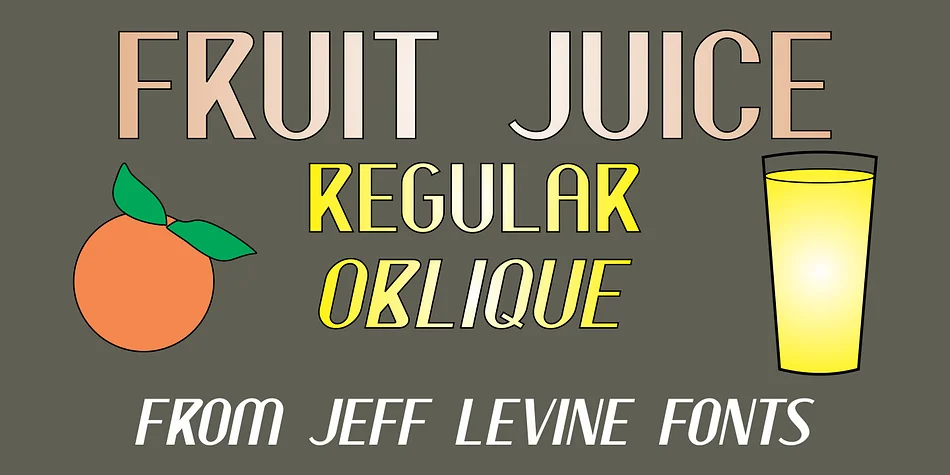
Picture a bustling 1950s juice stand on a New York corner, its neon glow casting that distinctive retro appeal across the sidewalk. That's the visual heart of FRUIT JUICE JNL, a playful decorative typeface from Jeff Levine Fonts. The designer drew directly from vintage neon juice advertisements to create a typeface that captures that exact era's energy, optimism, and commercial charm.
This font works well for vintage juice bar menus, retro diner signage, and artisanal beverage labels where authentic mid-century character matters. It's equally useful for organic juice brand packaging, cafe posters, and promotional signage tapping into nostalgic warmth. The letterforms have that hand-drawn, slightly imperfect quality you'd find in classic neon lettering, making even simple text feel lively and inviting. That genuine vintage feel gives your designs authenticity rather than pastiche.
FRUIT JUICE JNL comes in both regular and oblique versions, so you can add a subtle forward lean when you need extra visual dynamism. The oblique option is particularly useful for headlines and callouts where that angled emphasis reads as intentional, not accidental. Grab it from Creative Fabrica and bring some retro juice stand energy to your next project.
Style & Use Cases
- Overall Style
- Bold, Distinctive
- Use Case
- Headlines, Posters
- Ideal For
- logos, packaging, and standout titles
- Pairs With
- a neutral sans-serif
How to Install FRUIT JUICE JNL Font
Step-by-step instructions for every platform
- 1Download the FRUIT JUICE JNL font file (.ttf or .otf).
- 2Locate the downloaded file in your Downloads folder.
- 3Right-click the font file.
- 4Select "Install" to install for the current user, or "Install for all users" to make it available system-wide.
- 5FRUIT JUICE JNL is now available in Word, Photoshop, Illustrator, and all other apps.
More by Jeff Levine Fonts
View all →



Browse fonts by theme
Curated collections →Saw a font in a picture? Identify any font from an image with our free Font Finder.
More Decorative Fonts
Browse all →







What pairs well with FRUIT JUICE JNL Font?
FRUIT JUICE JNL Font is a decorative font that shines as a display or heading face. Pair it with a clean sans-serif or serif font for body text — the contrast creates a clear hierarchy while the two styles stay balanced and easy to read.




FRUIT JUICE JNL Font
Reviewed by the FontBoxDL team · Updated June 2026