 Firefox
 1 / 5
1 / 5About French Display Sans JNL Font
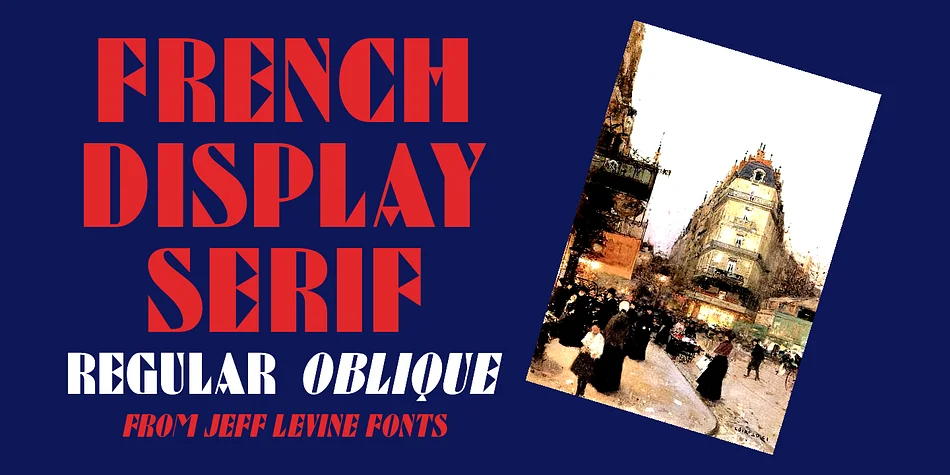
This typeface swaggers with bold, art deco confidence. French Display Sans JNL, designed by Jeff Levine Fonts, channels the geometric style of a vintage French lettering book through thick-and-thin letterforms that feel both retro and distinctly refined.
The weight contrast between thick and thin strokes creates genuine visual interest, which is why it translates so well across different applications. It performs beautifully for luxury skincare packaging where premium positioning matters, retro-inspired event posters that need character, upscale boutique fashion branding, and social media graphics that demand personality and flair. The same logic applies to wine label redesigns and establishing a distinctive visual identity for small-batch artisan product lines where standing out on a shelf matters. The typeface comes in both regular and oblique versions, so you have options for adding emphasis or tilting toward more dynamic, playful layouts when your design composition calls for movement and energy.
Pair French Display Sans JNL with a clean, minimal sans-serif like a neutral Grotesque for body copy to let this headline player do what it does best. You'll find it on Creative Fabrica, ready to bring that art deco edge to your next project.
Style & Use Cases
- Overall Style
- Bold, Distinctive
- Use Case
- Headlines, Posters
- Ideal For
- logos, packaging, and standout titles
- Pairs With
- a neutral sans-serif
How to Install French Display Sans JNL Font
Step-by-step instructions for every platform
- 1Download the French Display Sans JNL font file (.ttf or .otf).
- 2Locate the downloaded file in your Downloads folder.
- 3Right-click the font file.
- 4Select "Install" to install for the current user, or "Install for all users" to make it available system-wide.
- 5French Display Sans JNL is now available in Word, Photoshop, Illustrator, and all other apps.
More by Jeff Levine Fonts
View all →



Browse fonts by theme
Curated collections →Saw a font in a picture? Identify any font from an image with our free Font Finder.
More Decorative Fonts
Browse all →







What pairs well with French Display Sans JNL Font?
French Display Sans JNL Font is a decorative font that shines as a display or heading face. Pair it with a clean sans-serif or serif font for body text — the contrast creates a clear hierarchy while the two styles stay balanced and easy to read.




French Display Sans JNL Font
Reviewed by the FontBoxDL team · Updated June 2026