 Firefox
 1 / 8
1 / 8About Flourish Line Font
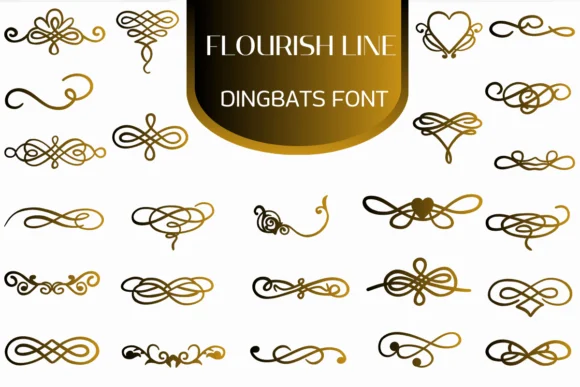
When you're laying out an elegant wedding invitation suite and need decorative lines to frame text with sophistication, Flourish Line by Heartcraft Atelier is exactly what you reach for. This dingbat font delivers a thoughtfully curated collection of ornamental flourishes, swirls, and decorative line elements that work beautifully as borders, dividers, and accent marks throughout your designs.
The typeface shines in boutique stationery projects where ornamental details matter most. Vintage journal covers, wedding program layouts, and high-end craft packaging all benefit from its flowing, hand-drawn aesthetic. It works especially well for Etsy product labels and gift tag designs that need sophisticated decorative linework without looking overwrought or busy. The font comes in both OTF and TTF formats, making it compatible with Procreate, Affinity Designer, and traditional design software you already use.
Flourish Line reads beautifully at any scale, whether you're working small or large. Small accents maintain their detail on business cards, while borders scaled across full pages stay crisp and elegant. That versatility makes it reliable for designers who need decorative elements that never feel clunky or out of place in their layouts. Get it on Creative Fabrica and add refined ornamental work to your next project.
Style & Use Cases
- Overall Style
- Iconographic, Fonts
- Use Case
- Icons, Accents
- Ideal For
- ornaments, bullets, and decorative flourishes
- Pairs With
- any text font
How to Install Flourish Line Font
Step-by-step instructions for every platform
- 1Download the Flourish Line font file (.ttf or .otf).
- 2Locate the downloaded file in your Downloads folder.
- 3Right-click the font file.
- 4Select "Install" to install for the current user, or "Install for all users" to make it available system-wide.
- 5Flourish Line is now available in Word, Photoshop, Illustrator, and all other apps.
More by Heartcraft Atelier
View all →



Browse fonts by theme
Curated collections →Saw a font in a picture? Identify any font from an image with our free Font Finder.
More Dingbats Fonts
Browse all →







What pairs well with Flourish Line Font?
Flourish Line Font is a versatile dingbats font that works for both headings and body text. Pair it with a contrasting sans-serif or serif font to add visual interest and a clear distinction between titles and body copy.




Flourish Line Font
Reviewed by the FontBoxDL team · Updated June 2026