 Firefox
 1 / 8
1 / 8About Floral Frame Font
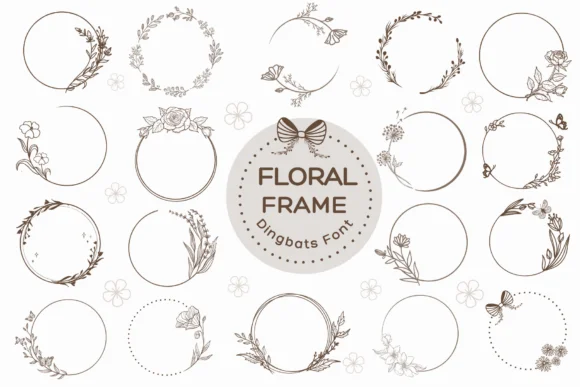
Floral Frame by Pui Art is a dingbat collection built from decorative botanical frames and ornamental borders. Each character is a hand-drawn wreath or flourish that functions as either a standalone accent piece or as a layered border element to frame your typography.
What makes this font genuinely useful is its versatility across real project needs. You can assemble wedding invitation suites with custom monogram layouts, design Mother's Day card compositions where florals carry emotional weight, and create boutique skincare labels with that coveted handmade aesthetic. These frames also excel on apparel graphics, from t-shirt designs to custom label applications. The borders scale cleanly from tiny accent details to large display-size focal points, preserving their hand-drawn character throughout.
Beyond those applications, the glyphs work equally well for birthday card embellishments, teacher appreciation posters, and seasonal craft projects where you need ornamental structure without fussiness. When you're looking for botanical borders without generic clip art, this collection offers genuine personality and visual interest. The full range of characters provides flexibility to mix, match, and layer elements in fresh combinations. You can find Floral Frame on Creative Fabrica, ready to enhance your designs.
Style & Use Cases
- Overall Style
- Iconographic, Floral Frame
- Use Case
- Icons, Accents
- Ideal For
- ornaments, bullets, and decorative flourishes
- Pairs With
- any text font
How to Install Floral Frame Font
Step-by-step instructions for every platform
- 1Download the Floral Frame font file (.ttf or .otf).
- 2Locate the downloaded file in your Downloads folder.
- 3Right-click the font file.
- 4Select "Install" to install for the current user, or "Install for all users" to make it available system-wide.
- 5Floral Frame is now available in Word, Photoshop, Illustrator, and all other apps.


Browse fonts by theme
Curated collections →Saw a font in a picture? Identify any font from an image with our free Font Finder.
More Dingbats Fonts
Browse all →







What pairs well with Floral Frame Font?
Floral Frame Font is a versatile dingbats font that works for both headings and body text. Pair it with a contrasting sans-serif or serif font to add visual interest and a clear distinction between titles and body copy.




Floral Frame Font
by Pui Art
Reviewed by the FontBoxDL team · Updated June 2026