 Firefox
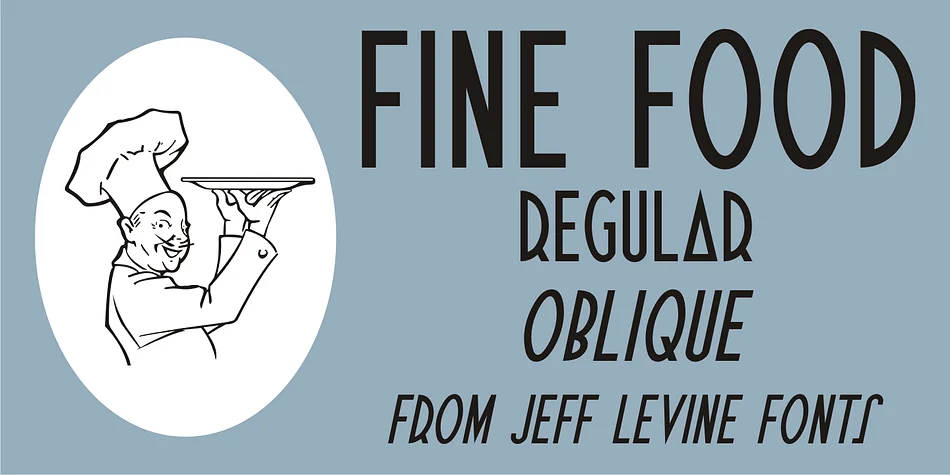
About FINE FOOD JNL Font
Picture the hand-lettered signage of a famous 1940s Hollywood restaurant, where type becomes the star of the show: that's the inspiration for Fine Food JNL, designed by Jeff Levine Fonts. This decorative typeface channels unmistakable Art Deco energy through letterforms that twist convention with intention. The 'S' curves like an inverted 'J', the 'A' transforms into a geometric triangle, and the 'R' merges a 'D' shape with a bold diagonal extension, all balanced against steadier letters to preserve legibility and visual rhythm. The interplay between rule-breaking and tradition is what gives this typeface its distinctive charm.
Reach for Fine Food JNL when designing speakeasy cocktail menus, luxury bakery packaging, art deco event invitations, and craft spirits labels that need genuine personality. Vintage-inspired book covers, boutique beauty product packaging, and retro restaurant branding all sing with this typeface in the mix. At display sizes, the quirky letterforms become assets rather than obstacles, grabbing attention without compromising readability or undermining the quality of your work.
The font comes in both regular and oblique versions, so you can adjust emphasis and add subtle movement to your layouts wherever needed. Grab it from Creative Fabrica to get that authentic mid-century Art Deco flavor into your next project.
Style & Use Cases
- Overall Style
- Bold, Distinctive
- Use Case
- Headlines, Posters
- Ideal For
- logos, packaging, and standout titles
- Pairs With
- a neutral sans-serif
How to Install FINE FOOD JNL Font
Step-by-step instructions for every platform
- 1Download the FINE FOOD JNL font file (.ttf or .otf).
- 2Locate the downloaded file in your Downloads folder.
- 3Right-click the font file.
- 4Select "Install" to install for the current user, or "Install for all users" to make it available system-wide.
- 5FINE FOOD JNL is now available in Word, Photoshop, Illustrator, and all other apps.
More by Jeff Levine Fonts
View all →



Browse fonts by theme
Curated collections →Saw a font in a picture? Identify any font from an image with our free Font Finder.
More Decorative Fonts
Browse all →







What pairs well with FINE FOOD JNL Font?
FINE FOOD JNL Font is a decorative font that shines as a display or heading face. Pair it with a clean sans-serif or serif font for body text — the contrast creates a clear hierarchy while the two styles stay balanced and easy to read.




FINE FOOD JNL Font
Reviewed by the FontBoxDL team · Updated June 2026