 Firefox
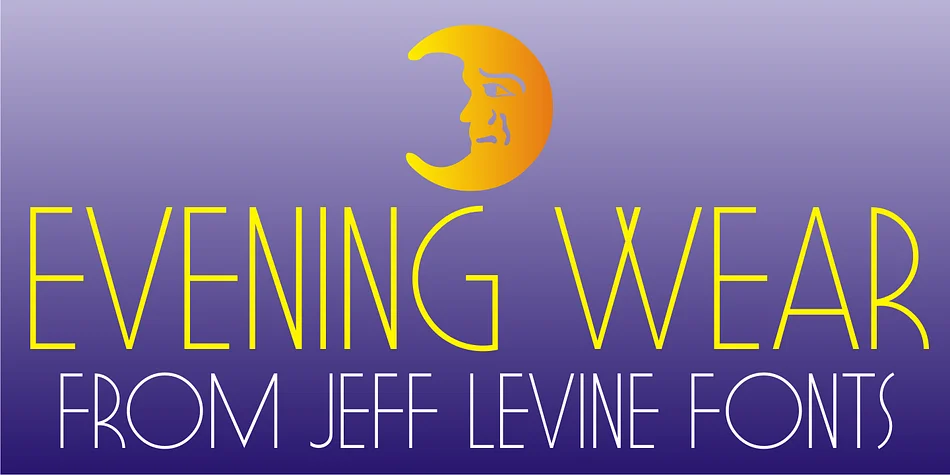
About EVENING WEAR JNL Font
EVENING WEAR JNL by Jeff Levine Fonts is a refined monoline typeface rooted in 1930s elegance. The font originated from the sophisticated lettering used to title the sheet music for "Smoke Gets In Your Eyes," capturing that Art Deco moment when formal evening occasions demanded nothing less than immaculate presentation. It's the kind of typeface that brings genuine midcentury polish to your work.
This font excels on formal wedding invitations, luxury cosmetics packaging, vintage-inspired cocktail menus, and high-end event programs. The monoline construction keeps the letterforms crisp and dignified, whether scaled for a business card or a poster. Designers reach for this when they need something that feels refined without veering into ornamental territory. The letterforms carry an understated confidence that pairs well with classic serif fonts or simpler sans-serifs, making it versatile across both print and screen-based projects.
The single weight serves contemporary work just as effectively as nostalgic applications. The font's clarity and presence mean it reads beautifully even at smaller sizes, solving the common problem of decorative typefaces becoming illegible. If you're after a font that captures formal elegance from a bygone era, Evening Wear JNL belongs in your collection on Creative Fabrica.
Style & Use Cases
- Overall Style
- Bold, Distinctive
- Use Case
- Headlines, Posters
- Ideal For
- logos, packaging, and standout titles
- Pairs With
- a neutral sans-serif
How to Install EVENING WEAR JNL Font
Step-by-step instructions for every platform
- 1Download the EVENING WEAR JNL font file (.ttf or .otf).
- 2Locate the downloaded file in your Downloads folder.
- 3Right-click the font file.
- 4Select "Install" to install for the current user, or "Install for all users" to make it available system-wide.
- 5EVENING WEAR JNL is now available in Word, Photoshop, Illustrator, and all other apps.
More by Jeff Levine Fonts
View all →



Browse fonts by theme
Curated collections →Saw a font in a picture? Identify any font from an image with our free Font Finder.
More Decorative Fonts
Browse all →







What pairs well with EVENING WEAR JNL Font?
EVENING WEAR JNL Font is a decorative font that shines as a display or heading face. Pair it with a clean sans-serif or serif font for body text — the contrast creates a clear hierarchy while the two styles stay balanced and easy to read.




EVENING WEAR JNL Font
Reviewed by the FontBoxDL team · Updated June 2026