 Firefox
 1 / 8
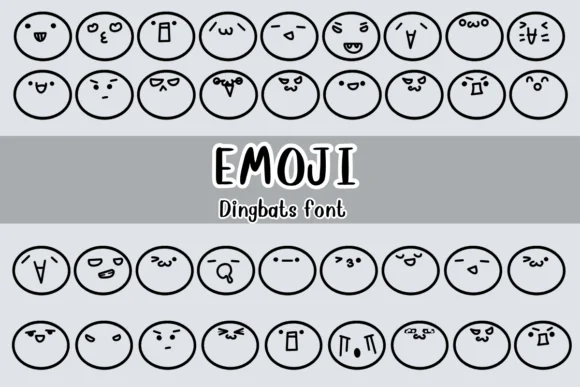
1 / 8About Emoji Font
You're designing a playful Discord server or building a custom emoji pack for a chat app, and the standard icon sets just won't cut it. That's where Emoji by Nongyao comes in. This dingbat collection brings together expressive cartoon faces and doodle-style icons that carry genuine personality and charm. Sticker sheet templates, greeting card designs, and indie game interfaces all benefit from icons that feel intentional rather than generic.
The emotional range here is what sets it apart: angry, confused, crying, and genuinely cute expressions that hold their character at any size. Each icon has a hand-drawn quality that reads as authentic craft rather than software-generated filler. You get both OTF and TTF formats, and everything works across Adobe, Affinity Designer, and Procreate. The coverage is particularly strong for chat applications and social media story graphics, where a single icon needs to land humor or establish tone in a crowded feed without sacrificing legibility.
The real advantage is how well each dingbat performs at extreme sizes. Scale it down for tiny UI elements or enlarge it for poster work, and you get consistent personality throughout. Grab this collection on Creative Fabrica and start designing with actual character.
Style & Use Cases
- Overall Style
- Iconographic, Fonts
- Use Case
- Icons, Accents
- Ideal For
- ornaments, bullets, and decorative flourishes
- Pairs With
- any text font
How to Install Emoji Font
Step-by-step instructions for every platform
- 1Download the Emoji font file (.ttf or .otf).
- 2Locate the downloaded file in your Downloads folder.
- 3Right-click the font file.
- 4Select "Install" to install for the current user, or "Install for all users" to make it available system-wide.
- 5Emoji is now available in Word, Photoshop, Illustrator, and all other apps.

Browse fonts by theme
Curated collections →Saw a font in a picture? Identify any font from an image with our free Font Finder.
More Dingbats Fonts
Browse all →






What pairs well with Emoji Font?
Emoji Font is a versatile dingbats font that works for both headings and body text. Pair it with a contrasting sans-serif or serif font to add visual interest and a clear distinction between titles and body copy.




Emoji Font
by Nongyao
Reviewed by the FontBoxDL team · Updated July 2026