 Firefox
 1 / 3
1 / 3Loading font…
About Eari Font
Thank you very much for your interest in my creation ♥
You can download the font completely for free! If you'd like to support my art with a modest donation every little bit helps and comes enormously appreciated. You can do so by downloading the font via Gumroad:
https://gumroad.com/l/earifont
,
buy me a ko-fi
https://ko-fi.com/A5171DDH
or donate directly to my PayPal:
[email protected]
Either option you choose, thank you very much. You're awesome! And I hope you will enjoy the font a lot!
Cheers!
For commercial use/licensing, contact me via my e-mail
[email protected]
--------------------------------------------------
About the font:
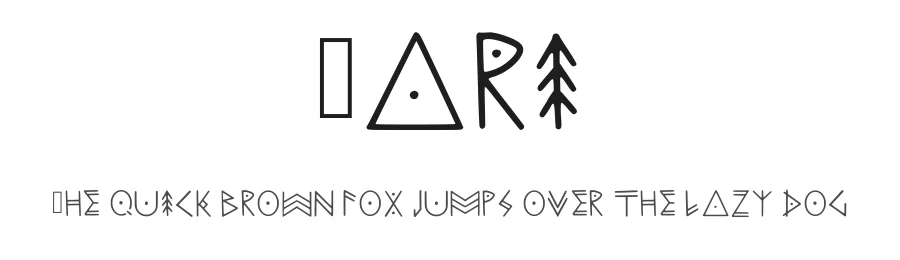
Eari Font is a custom font inspired by symbols originating from various cultures: nordic, pagan, native tribes.
The font contains one size letters (lower case)
Full list of characters included in the font:
Numbers: 0 1 2 3 4 5 6 7 8 9
Punctuation: ¡ ¿ ? ! " # % ' ( ) * + , - . / : ; < = > ? @ [ \ ] ^ _
Currency symbols: £ $
More...
Letters:
a ą à á â ä æ
b ß
c ç ć č
d ď
e è é ê ë ę ě
f g h
i í î ï
j k
l ł
m
n ñ ń ň
o ó ô ö
p q
r ř
s ś
t ť
u ù ú û ü ů
v w x
y ý ÿ
z ź ż
Style & Use Cases
- Overall Style
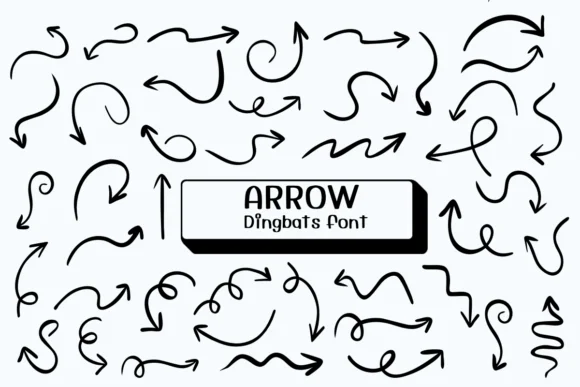
- Iconographic, Dingbats
- Use Case
- Icons, Accents
- Ideal For
- ornaments, bullets, and decorative flourishes
- Pairs With
- any text font
Eari Specifications
| Font Family | Eari |
| Style | Regular |
| Full Name | Eari Regular |
| Version | 001.001 |
| Weight | 400 (Regular) |
| Glyph Count | 115 glyphs |
| PostScript Name | Eari-Regular |
| Format | TTF (TrueType) |
| File Size | 27.3 KB |
How to Install Eari Font
Step-by-step instructions for every platform
- 1Download the Eari font file (.ttf or .otf).
- 2Locate the downloaded file in your Downloads folder.
- 3Right-click the font file.
- 4Select "Install" to install for the current user, or "Install for all users" to make it available system-wide.
- 5Eari is now available in Word, Photoshop, Illustrator, and all other apps.
Browse fonts by theme
Curated collections →Saw a font in a picture? Identify any font from an image with our free Font Finder.
More Dingbats Fonts
Browse all →







What pairs well with Eari Font?
Eari Font is a versatile dingbats font that works for both headings and body text. Pair it with a contrasting sans-serif or serif font to add visual interest and a clear distinction between titles and body copy.




Premium Dingbats Fonts
★ PremiumWant something with more weights, glyphs, and commercial polish? These premium dingbats fonts are worth a look.
Eari Font
Reviewed by the FontBoxDL team · Updated June 2026
License: Free for personal use