 Firefox
 1 / 8
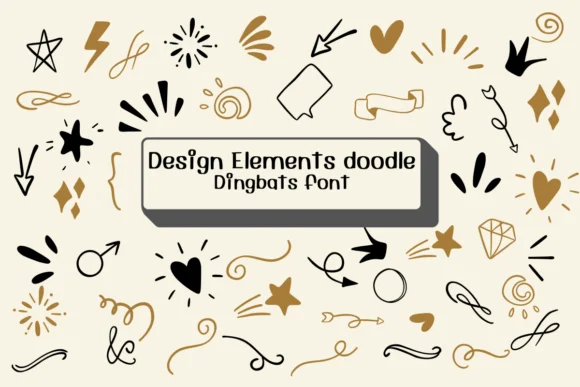
1 / 8About Design Elements Doodle Font
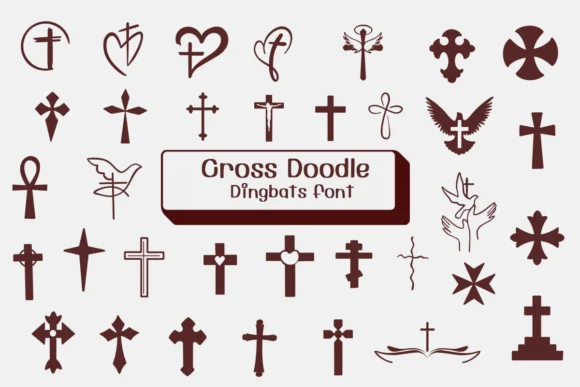
Hand-drawn doodles and simple symbolic marks characterize Design Elements Doodle, a dingbats font created by Ketsarin. The letterforms read as casual sketches rather than rigid geometric shapes, which gives any project an immediate sense of personality and warmth that feels authentically handmade.
This works beautifully for layered, decorative design approaches. Wedding invitation suites gain visual interest and charm when you layer these icons as embellishments between typography. Scrapbooking layouts benefit from mixing photographs with these hand-drawn symbols, and personalized gift tag design becomes faster and more cohesive when drawing from a unified symbol set. Bullet journal spreads gain structure and organization from these marks without looking cluttered.
The font includes outline and coloring-ready versions, letting you customize fills and strokes across Affinity Designer, Procreate, and other vector tools. Since each mark works as an isolated element, you can scale and arrange these symbols freely without worrying about balance or proportion issues. This set suits designers and makers building projects that need genuine hand-drawn character: everything from DIY craft signage to small-batch stationery packaging and custom scrapbook elements. Find it on Creative Fabrica whenever you need to add hand-drawn personality and warmth to your next design project.
Style & Use Cases
- Overall Style
- Iconographic, Fonts
- Use Case
- Icons, Accents
- Ideal For
- ornaments, bullets, and decorative flourishes
- Pairs With
- any text font
How to Install Design Elements Doodle Font
Step-by-step instructions for every platform
- 1Download the Design Elements Doodle font file (.ttf or .otf).
- 2Locate the downloaded file in your Downloads folder.
- 3Right-click the font file.
- 4Select "Install" to install for the current user, or "Install for all users" to make it available system-wide.
- 5Design Elements Doodle is now available in Word, Photoshop, Illustrator, and all other apps.
More by Ketsarin
View all →
Browse fonts by theme
Curated collections →Saw a font in a picture? Identify any font from an image with our free Font Finder.
More Dingbats Fonts
Browse all →







What pairs well with Design Elements Doodle Font?
Design Elements Doodle Font is a versatile dingbats font that works for both headings and body text. Pair it with a contrasting sans-serif or serif font to add visual interest and a clear distinction between titles and body copy.




Design Elements Doodle Font
by Ketsarin
Reviewed by the FontBoxDL team · Updated July 2026