 Firefox
 1 / 8
1 / 8About Daily Food Icons Font
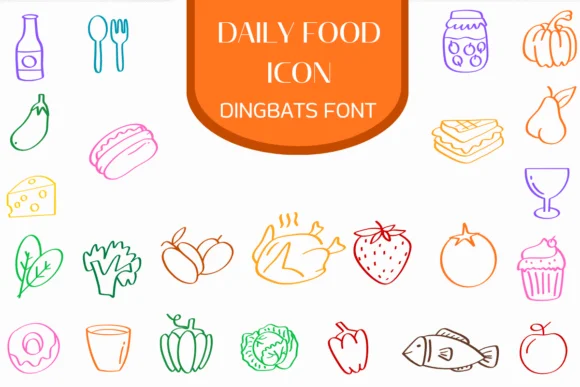
Hand-drawn food illustrations with a playful, sketch-like approach create the foundation for Daily Food Icons, designed by Heartcraft Atelier. This dingbats font delivers a friendly, approachable character that reads clearly even at smaller sizes. The collection covers everything from breakfast staples and fresh produce to dinner essentials and snacks, making it useful across a range of food-related design projects.
Where this font really shines is in its versatility across practical applications. Use it for recipe blog graphics to add visual interest to ingredient lists, create custom labels for meal prep containers and pantry organization systems, or design cafe menu boards that need friendly visual breaks between items. Food subscription box packaging benefits from the consistent, recognizable icons, as do cooking tutorial graphics, meal-planning app assets, and farmer's market promotional materials. Restaurant loyalty cards, dietary tracking spreadsheets, and kitchen organization labels all gain personality when paired with this set.
The collection includes multiple weights and alternate versions that let you adapt the style across different design contexts and media. Designers working on food content, kitchen-focused brands, packaging projects, and culinary education materials will find this a practical addition to their toolkit. Get Daily Food Icons on Creative Fabrica and start bringing warmth to food-related designs.
Style & Use Cases
- Overall Style
- Iconographic, Fonts
- Use Case
- Icons, Accents
- Ideal For
- ornaments, bullets, and decorative flourishes
- Pairs With
- any text font
How to Install Daily Food Icons Font
Step-by-step instructions for every platform
- 1Download the Daily Food Icons font file (.ttf or .otf).
- 2Locate the downloaded file in your Downloads folder.
- 3Right-click the font file.
- 4Select "Install" to install for the current user, or "Install for all users" to make it available system-wide.
- 5Daily Food Icons is now available in Word, Photoshop, Illustrator, and all other apps.
More by Heartcraft Atelier
View all →



Browse fonts by theme
Curated collections →Saw a font in a picture? Identify any font from an image with our free Font Finder.
More Dingbats Fonts
Browse all →







What pairs well with Daily Food Icons Font?
Daily Food Icons Font is a versatile dingbats font that works for both headings and body text. Pair it with a contrasting sans-serif or serif font to add visual interest and a clear distinction between titles and body copy.




Daily Food Icons Font
Reviewed by the FontBoxDL team · Updated June 2026