 Firefox
 1 / 8
1 / 8About Cute Shape Font
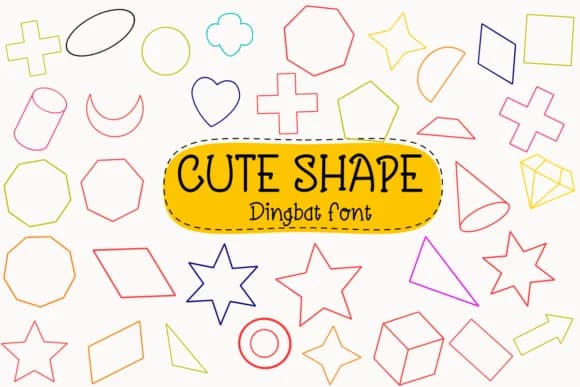
Cute Shape from Petal Pixels is a dingbat collection built around clean, purposeful iconography rather than decorative excess. The 400-character set delivers small illustrations and symbols that feel handmade without sacrificing clarity, which matters when icons need to anchor layouts or mark structural elements in your design work.
Digital planners are the natural home for this font. GoodNotes users will find dividers, badges, and section markers that add visual structure to study notes and learning materials. In Procreate, these glyphs work as brush-friendly symbols for iPad sketching and planning spreads. Notability and similar note-taking apps benefit from organized layouts built with consistent, approachable iconography. These shapes have a natural handwriting quality that pairs well with body text, so icons integrate rather than compete for attention.
This font also works for creative projects that need personality and polish. Craft templates for Silhouette cutting machines, scrapbook layouts, and DIY sticker sheets all benefit from the clean character of these symbols. Bullet journal spreads become easier to organize when you have a unified set of markers and dividers. Cute Shape suits anyone building study materials, digital planning systems, or organized notebook layouts. Find it on Creative Fabrica and start using these 400 glyphs across your projects.
Style & Use Cases
- Overall Style
- Iconographic, Handwriting Font
- Use Case
- Icons, Accents
- Ideal For
- ornaments, bullets, and decorative flourishes
- Pairs With
- any text font
How to Install Cute Shape Font
Step-by-step instructions for every platform
- 1Download the Cute Shape font file (.ttf or .otf).
- 2Locate the downloaded file in your Downloads folder.
- 3Right-click the font file.
- 4Select "Install" to install for the current user, or "Install for all users" to make it available system-wide.
- 5Cute Shape is now available in Word, Photoshop, Illustrator, and all other apps.
More by Petal Pixels
View all →
Browse fonts by theme
Curated collections →Saw a font in a picture? Identify any font from an image with our free Font Finder.
More Dingbats Fonts
Browse all →







What pairs well with Cute Shape Font?
Cute Shape Font is a versatile dingbats font that works for both headings and body text. Pair it with a contrasting sans-serif or serif font to add visual interest and a clear distinction between titles and body copy.



Cute Shape Font
by Petal Pixels
Reviewed by the FontBoxDL team · Updated July 2026