 Firefox
 1 / 8
1 / 8About Cute Ghost Version 2 Font
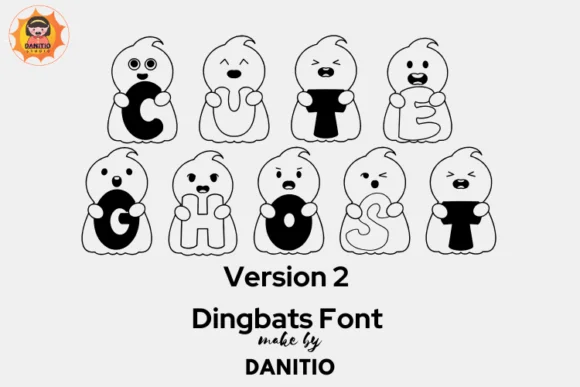
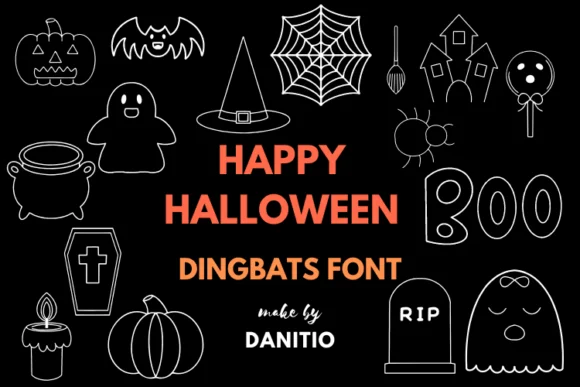
Cute Ghost Version 2 by danita.kukkai is a dingbat font filled with charming ghost characters that work beautifully as ornamental decorative elements and dividers. The collection includes multiple ghost variations, each with its own distinct personality, making them versatile for layering into designs that need a playful yet slightly spooky mood. Available in both OTF and TTF formats, the font delivers plenty of glyphs and character options to work with across different design applications.
This font shines for projects that call for hand-drawn charm without the financial investment of commissioning custom illustration work. Halloween greeting card designs get a genuine boost from the variety of ghost styles available, while Halloween party invitation suites can lean heavily into the whimsy with layered, colorized characters. DIY craft label designs for seasonal boutiques work beautifully with these characters, and they're equally effective as decorative elements woven through printable coloring pages for kids or sticker sheet designs. You can layer and colorize each ghost differently using the outlined versions, giving your designs considerable visual flexibility and personality.
Head over to Creative Fabrica to grab this dingbat font and add a playful toolkit of ghost characters to your design library.
Style & Use Cases
- Overall Style
- Iconographic, Doodle
- Use Case
- Icons, Accents
- Ideal For
- ornaments, bullets, and decorative flourishes
- Pairs With
- any text font
How to Install Cute Ghost Version 2 Font
Step-by-step instructions for every platform
- 1Download the Cute Ghost Version 2 font file (.ttf or .otf).
- 2Locate the downloaded file in your Downloads folder.
- 3Right-click the font file.
- 4Select "Install" to install for the current user, or "Install for all users" to make it available system-wide.
- 5Cute Ghost Version 2 is now available in Word, Photoshop, Illustrator, and all other apps.
More by danita.kukkai
View all →
Browse fonts by theme
Curated collections →Saw a font in a picture? Identify any font from an image with our free Font Finder.
More Dingbats Fonts
Browse all →







What pairs well with Cute Ghost Version 2 Font?
Cute Ghost Version 2 Font is a versatile dingbats font that works for both headings and body text. Pair it with a contrasting sans-serif or serif font to add visual interest and a clear distinction between titles and body copy.




Cute Ghost Version 2 Font
Reviewed by the FontBoxDL team · Updated July 2026