 Firefox
 1 / 8
1 / 8Loading font…
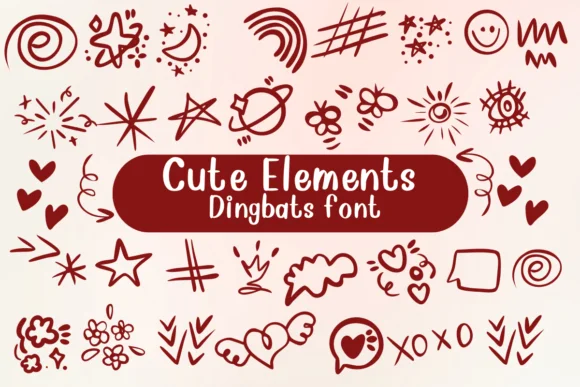
About Cute Elements Font
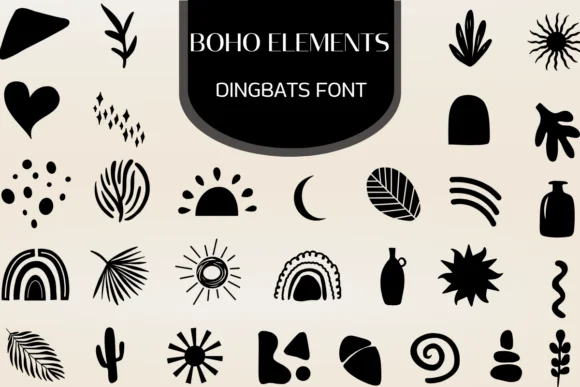
This playful dingbat collection brings instant charm to any project that needs a genuine touch of visual whimsy. Cute Elements by Nongyao delivers a hand-drawn, cartoon aesthetic that feels both approachable and skillfully considered rather than childish. Beyond simple decoration, this font includes multiple weights and alternate glyphs, giving you real flexibility to build layered, complex compositions or deploy single accents for subtle visual interest without cluttering.
You'll find these doodles particularly useful for wedding invitation suites where ornamental flourishes add personality without overwhelming important text, DIY event signage that needs real character and stops scrollers, custom gift tags that make people actually smile and reach for them again, and personalized planner stickers that feel good to use week after week. The collection spans balloons, arrows, decorative shapes, and playful emotion markers that work beautifully solo or combine effortlessly for richer designs. Each element feels organic yet intentional, hitting that sweet spot between casual hand-drawn energy and professional polish that modern craft projects genuinely demand.
Pair Cute Elements with a clean, legible sans-serif when you need readable text, letting the dingbats anchor your visual hierarchy and provide visual breathing room. Grab it on Creative Fabrica and start building designs that feel genuinely handmade rather than templated.
Style & Use Cases
- Overall Style
- Iconographic, Fonts
- Use Case
- Icons, Accents
- Ideal For
- ornaments, bullets, and decorative flourishes
- Pairs With
- any text font
How to Install Cute Elements Font
Step-by-step instructions for every platform
- 1Download the Cute Elements font file (.ttf or .otf).
- 2Locate the downloaded file in your Downloads folder.
- 3Right-click the font file.
- 4Select "Install" to install for the current user, or "Install for all users" to make it available system-wide.
- 5Cute Elements is now available in Word, Photoshop, Illustrator, and all other apps.

Browse fonts by theme
Curated collections →Saw a font in a picture? Identify any font from an image with our free Font Finder.
More Dingbats Fonts
Browse all →






What pairs well with Cute Elements Font?
Cute Elements Font is a versatile dingbats font that works for both headings and body text. Pair it with a contrasting sans-serif or serif font to add visual interest and a clear distinction between titles and body copy.




Cute Elements Font
by Nongyao
Reviewed by the FontBoxDL team · Updated October 2026