 Firefox
 1 / 7
1 / 7Loading font…
About Cute Bunting Font
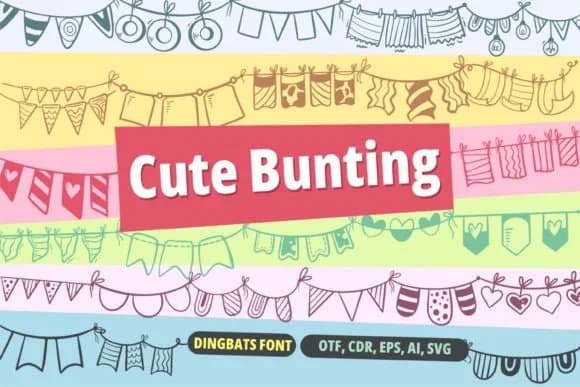
Whimsy meets functionality. Cute Bunting, a dingbat font designed by onoborgol, captures the playful energy you'd find in festive garlands and paper flags strung across a backyard. This hand-drawn collection of decorative elements includes charming icons, from bunting and banners to birds, waves, and other festive shapes, each sketched with a loose, friendly hand that adds genuine character to layouts without overwhelming the overall design.
Birthday party invitations and save-the-dates gain instant warmth from these cheerful accents, as do children's storybook illustrations and craft fair event signage. You could use them as ornamental borders in handmade greeting card suites, scatter them across scrapbook pages, or incorporate them into illustrated poster designs. Because the dingbats work as a coordinated set, you can layer them into complex designs or use individual elements as simple decorative punctuation between sections of text.
Pair Cute Bunting with a clean, geometric sans-serif as your body font to let these hand-drawn shapes stand out without competing for visual attention. The contrast between the detailed dingbats and neutral background text creates a polished, intentional look that feels both designed and personal. Find it on Creative Fabrica whenever you need a quick injection of charm into your next creative project.
Style & Use Cases
- Overall Style
- Iconographic, Bunting
- Use Case
- Icons, Accents
- Ideal For
- ornaments, bullets, and decorative flourishes
- Pairs With
- any text font
How to Install Cute Bunting Font
Step-by-step instructions for every platform
- 1Download the Cute Bunting font file (.ttf or .otf).
- 2Locate the downloaded file in your Downloads folder.
- 3Right-click the font file.
- 4Select "Install" to install for the current user, or "Install for all users" to make it available system-wide.
- 5Cute Bunting is now available in Word, Photoshop, Illustrator, and all other apps.
More by onoborgol
View all →
Browse fonts by theme
Curated collections →Saw a font in a picture? Identify any font from an image with our free Font Finder.
More Dingbats Fonts
Browse all →







What pairs well with Cute Bunting Font?
Cute Bunting Font is a versatile dingbats font that works for both headings and body text. Pair it with a contrasting sans-serif or serif font to add visual interest and a clear distinction between titles and body copy.



Cute Bunting Font
by onoborgol
Reviewed by the FontBoxDL team · Updated October 2026