 Firefox
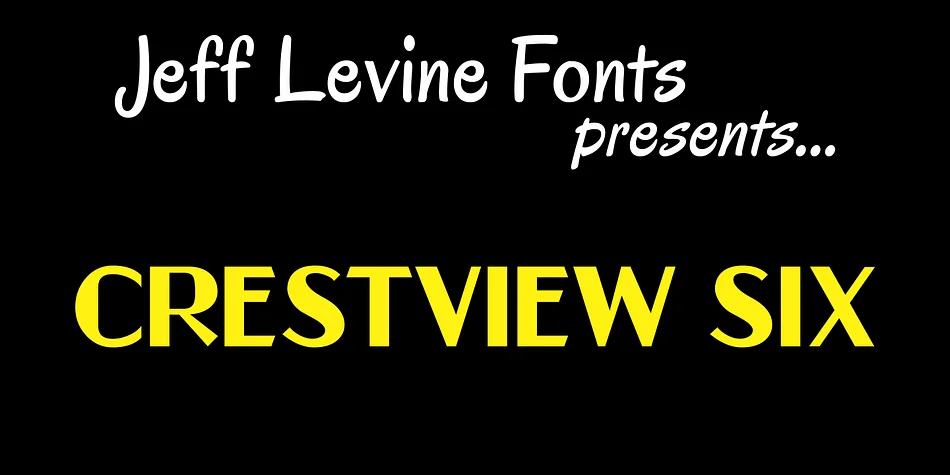
About CRESTVIEW SIX JNL Font
Crestview Six JNL by Jeff Levine Fonts is a decorative typeface rooted in hand-lettered catalog designs from the 1930s and 1940s. It captures what made those original designs so appealing: an honest, slightly irregular quality that feels alive in ways machine-perfect letterforms simply cannot. There's a refreshing humanness here, the kind of character that comes from type actually rendered by hand rather than engineered in software. Compared to the sterile precision of printer's type from that era or its digital descendants, this font delivers genuine warmth and personality that feels lived-in rather than calculated.
The typeface works beautifully for retro poster designs, vintage event invitations, speakeasy-inspired signage, and art deco branding. Designers building antique product packaging, period advertising mockups, nostalgia-driven branding, or vintage book covers will find its distinctive character draws the eye. It carries genuine historical weight without feeling contrived or overly trendy. You get the warmth of hand lettering with the convenience of a working font file, making it ideal for both print and digital applications.
What began as obscure catalog ephemera from nearly a century ago is now available as a fully functional typeface. The hand-drawn character and period authenticity bring a level of visual interest that feels impossible to fake with generic decorative fonts. Find it on Creative Fabrica and bring that specific midcentury energy to your next project.
Style & Use Cases
- Overall Style
- Bold, Distinctive
- Use Case
- Headlines, Posters
- Ideal For
- logos, packaging, and standout titles
- Pairs With
- a neutral sans-serif
How to Install CRESTVIEW SIX JNL Font
Step-by-step instructions for every platform
- 1Download the CRESTVIEW SIX JNL font file (.ttf or .otf).
- 2Locate the downloaded file in your Downloads folder.
- 3Right-click the font file.
- 4Select "Install" to install for the current user, or "Install for all users" to make it available system-wide.
- 5CRESTVIEW SIX JNL is now available in Word, Photoshop, Illustrator, and all other apps.
More by Jeff Levine Fonts
View all →



Browse fonts by theme
Curated collections →Saw a font in a picture? Identify any font from an image with our free Font Finder.
More Decorative Fonts
Browse all →







What pairs well with CRESTVIEW SIX JNL Font?
CRESTVIEW SIX JNL Font is a decorative font that shines as a display or heading face. Pair it with a clean sans-serif or serif font for body text — the contrast creates a clear hierarchy while the two styles stay balanced and easy to read.




CRESTVIEW SIX JNL Font
Reviewed by the FontBoxDL team · Updated June 2026