 Firefox
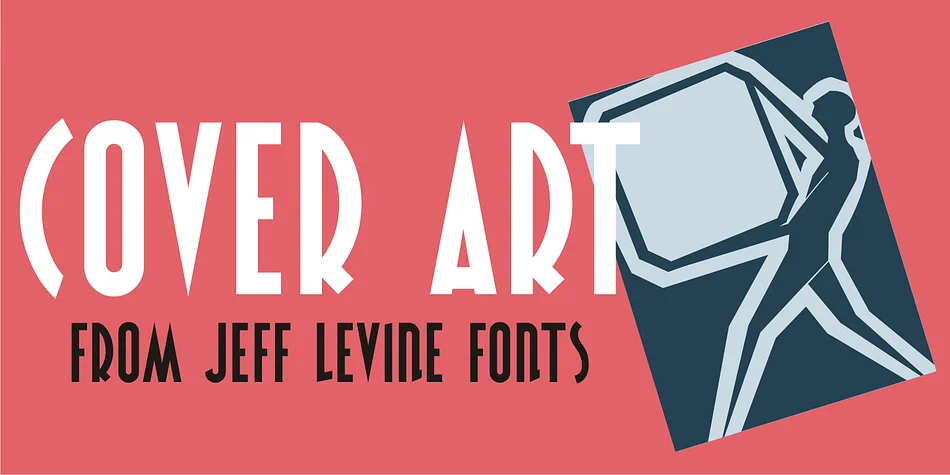
About COVER ART JNL Font
What sets Cover Art JNL apart is the interplay between straightforward letterforms and unexpected character variations that make it feel hand-drawn. Created by Jeff Levine Fonts, this decorative typeface is rooted in the title lettering of a 1920s Portuguese art magazine, where the designer found inspiration in letters that refuse to follow convention. That inconsistency is precisely what gives the font its personality and visual energy.
The mix of regular and quirky characters makes Cover Art JNL a natural fit for projects with a vintage or retro angle. Consider using it for speakeasy signage, theatrical production posters, vintage album cover designs, or Art Deco wedding stationery. It also works well for packaging design where a nostalgic feel adds brand character, museum exhibition materials, or any project that benefits from the geometric warmth of early twentieth-century typography. The letterforms carry enough uniqueness to work as a headline font while remaining readable even at smaller sizes.
This typeface suits designers and studios creating retro brand identities, period-themed campaigns, or visual systems that draw from early twentieth-century aesthetics. It brings genuine 1920s character without slipping into caricature. Get Cover Art JNL on Creative Fabrica.
Style & Use Cases
- Overall Style
- Bold, Distinctive
- Use Case
- Headlines, Posters
- Ideal For
- logos, packaging, and standout titles
- Pairs With
- a neutral sans-serif
How to Install COVER ART JNL Font
Step-by-step instructions for every platform
- 1Download the COVER ART JNL font file (.ttf or .otf).
- 2Locate the downloaded file in your Downloads folder.
- 3Right-click the font file.
- 4Select "Install" to install for the current user, or "Install for all users" to make it available system-wide.
- 5COVER ART JNL is now available in Word, Photoshop, Illustrator, and all other apps.
More by Jeff Levine Fonts
View all →



Browse fonts by theme
Curated collections →Saw a font in a picture? Identify any font from an image with our free Font Finder.
More Decorative Fonts
Browse all →







What pairs well with COVER ART JNL Font?
COVER ART JNL Font is a decorative font that shines as a display or heading face. Pair it with a clean sans-serif or serif font for body text — the contrast creates a clear hierarchy while the two styles stay balanced and easy to read.




COVER ART JNL Font
Reviewed by the FontBoxDL team · Updated June 2026