 Firefox
About CONCIERGE JNL Font
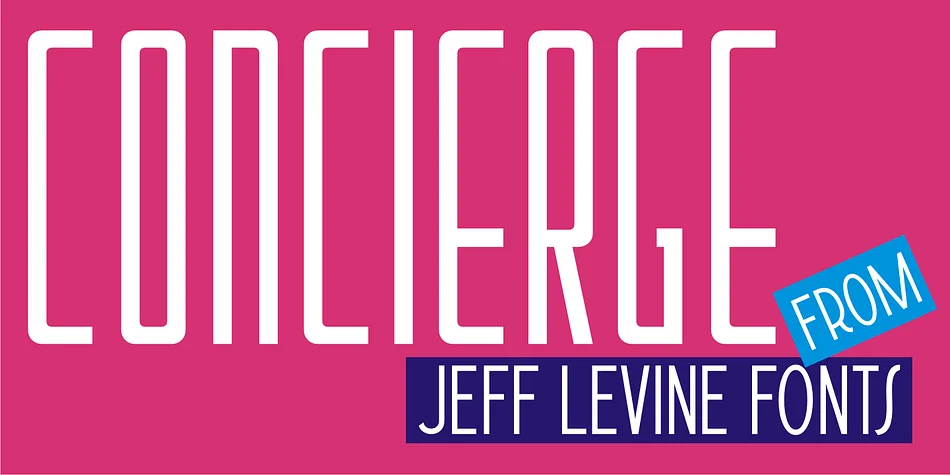
CONCIERGE JNL by Jeff Levine Fonts is a decorative typeface that lives between eras, pulling from multiple design languages at once. Its origin story is rooted in 1920s sheet music, specifically a hand-lettered piece for "Let Me Call You Sweetheart." The initial concept was simple enough: a clean sans with a few Art Nouveau touches. But as the project developed, the character shifted dramatically toward Art Deco, and Levine began adding rounded edges with distinctly techno undertones. What resulted is a typeface that feels genuinely hard to categorize, which is precisely what gives it such strong visual interest.
This hybrid quality makes the font work beautifully across a range of projects. Retro-inspired packaging labels, 1920s-themed event invitations, speakeasy menu designs, and vintage revival logos all feel at home with this typeface. Rounded characters interact well with the geometric structure, so the font stays readable even at large display sizes. You get real visual personality without the typeface tipping too far into either nostalgia or modernism. The technical precision of the letterforms sits comfortably alongside the softer, more expressive curves that define the overall rhythm.
Grab CONCIERGE JNL on Creative Fabrica and bring that complex retro-modern vibe to your next design.
Style & Use Cases
- Overall Style
- Bold, Distinctive
- Use Case
- Headlines, Posters
- Ideal For
- logos, packaging, and standout titles
- Pairs With
- a neutral sans-serif
How to Install CONCIERGE JNL Font
Step-by-step instructions for every platform
- 1Download the CONCIERGE JNL font file (.ttf or .otf).
- 2Locate the downloaded file in your Downloads folder.
- 3Right-click the font file.
- 4Select "Install" to install for the current user, or "Install for all users" to make it available system-wide.
- 5CONCIERGE JNL is now available in Word, Photoshop, Illustrator, and all other apps.
More by Jeff Levine Fonts
View all →



Browse fonts by theme
Curated collections →Saw a font in a picture? Identify any font from an image with our free Font Finder.
More Decorative Fonts
Browse all →







What pairs well with CONCIERGE JNL Font?
CONCIERGE JNL Font is a decorative font that shines as a display or heading face. Pair it with a clean sans-serif or serif font for body text — the contrast creates a clear hierarchy while the two styles stay balanced and easy to read.




CONCIERGE JNL Font
Reviewed by the FontBoxDL team · Updated June 2026